
What are the best Usersnap alternatives in 2026?
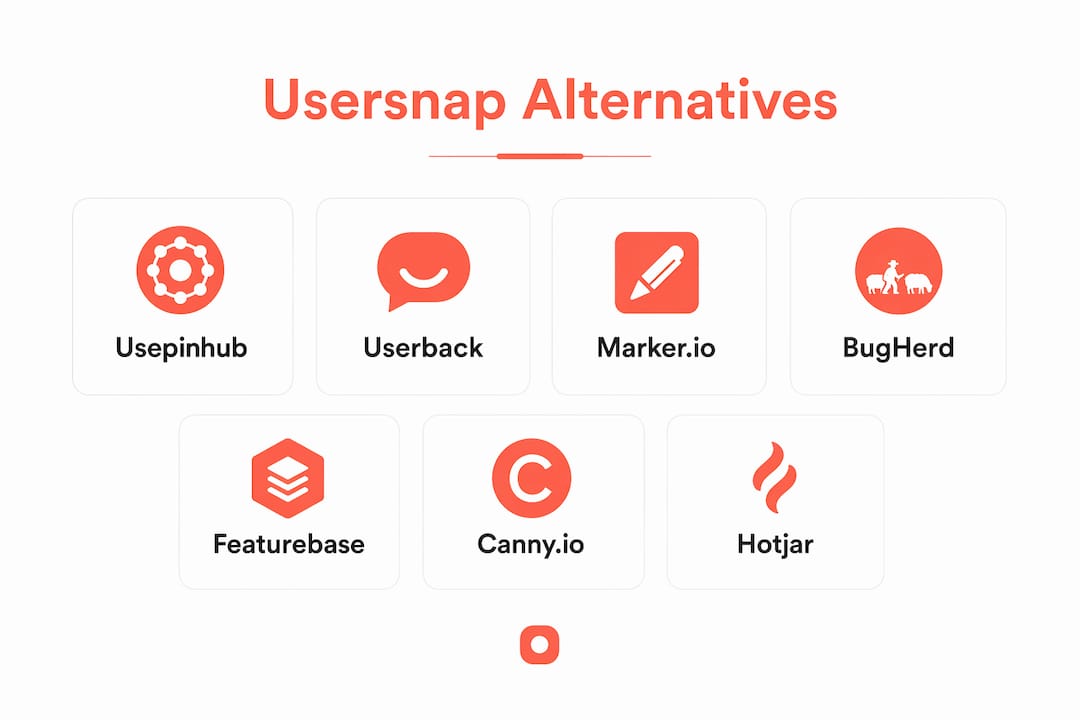
The strongest Usersnap alternatives right now are Usepinhub, Userback, Marker.io, BugHerd, Featurebase, Canny.io, Hotjar, Frill, featureOS, Savio, Sleekplan, Qualaroo, Ruttl, Feedbucket, ProProfs Survey Maker, UserTesting, Typeform, UserReport, and Zonka Feedback. Each serves a different slice of the feedback and bug tracking problem, so the right pick depends on whether your team needs visual bug reporting, feature voting, behavioral analytics, or a combination of all three.
Usersnap's core strength is its screenshot annotation and browser metadata capture, which makes it genuinely useful for visual QA workflows. The trade-off is cost and complexity. Many product teams find they're paying for features they never touch, or they need deeper integrations than Usersnap provides. That's the gap these alternatives fill.
| Tool | Best for | Key features | Pros | Cons | Pricing |
|---|---|---|---|---|---|
| Usepinhub | Visual feedback on screenshots and Figma designs | Pixel-anchored comments, guest access, AI summaries, version control | No account needed for guests; precise pinned feedback | Focused on visual review, not bug metadata | Free plan; paid plans available. |
| Userback | Video feedback + session replay | Video recording, session replay, screenshot annotation | Rich behavioral context | Starts at a monthly fee. | From a monthly fee |
| Marker.io | Developer-focused bug reporting | Console log capture, Jira/GitHub sync, screenshot tools | Bidirectional sync with issue trackers | Less suited for non-technical users | From a monthly fee. |
| BugHerd | Website and Figma bug tracking | Visual feedback, kanban board, CSS selector data | Easy for non-developers | Limited survey features | From a monthly fee. |
| Featurebase | Feature request management | Voting boards, changelogs, NPS surveys | Clean UI; strong roadmap tools | Not a bug tracker | Free plan; paid plans available. |
| Canny.io | Product feedback and roadmapping | Feedback boards, integrations, changelog | Widely used; solid integrations | Can get expensive at scale | Free plan; paid plans available. |
| Hotjar | Behavioral analytics | Heatmaps, session recordings, surveys | Starts at $32/month; EU data privacy | No annotated screenshot support | From a monthly fee. |
| Frill | Lightweight feature voting | Voting, roadmap, changelog | Simple and affordable | Limited reporting depth | Free plan; paid from $25/month |
| featureOS | Feedback aggregation | Multi-source feedback, roadmap, changelog | Consolidates feedback channels | Newer product; smaller ecosystem | From a monthly fee. |
| Savio | Customer feedback for SaaS | CRM-linked feedback, feature requests | Connects feedback to revenue data | No visual bug reporting | From a monthly fee. |
| Sleekplan | Embedded feedback widgets | In-app widgets, NPS, changelog | Easy to embed | Limited integrations | Free plan; paid from $19/month |
| Qualaroo | In-app micro-surveys | Targeted surveys, sentiment analysis | Strong targeting options | Not a bug tracker | From a monthly fee. |
| Ruttl | Website and app annotation | Live website commenting, video feedback | Real-time collaboration | Smaller user base | Free plan; paid from $15/month |
| Feedbucket | Website feedback collection | Screenshot feedback, task management | Simple setup | Limited advanced features | From a monthly fee. |
| Zonka Feedback | Multi-channel surveys | NPS, CSAT, CES surveys, offline support | Broad survey channel coverage | Not focused on bug tracking | From a monthly fee. |
| ProProfs Survey Maker | Survey creation | 100+ templates, logic branching | Beginner-friendly | Basic visual feedback | Free plan; paid from $19/month |
| UserTesting | Qualitative user research | Moderated/unmoderated tests, video insights | Deep qualitative data | Expensive for small teams | Custom pricing |
| Typeform | Conversational surveys | Conditional logic, integrations, clean UI | High completion rates | Lacks visual QA features | Free plan; paid from $25/month |
| UserReport | In-app NPS and surveys | NPS widget, user forum, analytics | Free core features | Limited customization | Free; premium available |
Table of Contents
- How do you choose the right Usersnap alternative?
- In-depth reviews of the top Usersnap alternatives
- Specialized vs. all-in-one: what the research says
- How does customer support compare across these tools?
- How do US teams rate these tools?
- Usepinhub gives you precise visual feedback without the bloat
- Key Takeaways
- FAQ
How do you choose the right Usersnap alternative?
Not every Usersnap replacement solves the same problem. Before you commit to a tool, it's worth mapping exactly what your team actually uses Usersnap for today. Bug reporting, feature voting, and behavioral analytics are three distinct jobs, and the best tool for one is often mediocre at the others.
Core criteria to evaluate:
- Screenshot annotation and visual feedback: Does the tool let users mark up specific areas of a screen, or does it only capture a raw screenshot? Pixel-level precision matters for design reviews.
- Console log and metadata capture: For developer-focused bug reporting, automatic capture of browser console logs, environment data, and URL context saves significant triage time.
- Session replay and video feedback: Tools like Userback add behavioral context by letting you watch what a user did before submitting a bug report.
- Feature voting and roadmapping: If your primary need is collecting and prioritizing feature requests, dedicated tools like Featurebase or Canny.io outperform bug trackers.
- Integration depth: Check whether the tool syncs bidirectionally with your existing stack. Jira, GitHub, Linear, and Slack are the most common requirements for US-based product teams.
- Pricing model: Per-seat pricing scales poorly for large teams. Flat-rate or workspace-based pricing, like Usepinhub's model, is more predictable.
- Guest access: If external stakeholders or clients need to leave feedback, requiring them to create accounts creates friction. Tools that allow guest participation without sign-up are a real advantage.
- Trial availability: Most tools on this list offer a free plan or a trial period. Always test with a real project before purchasing.
- Customer support: Live chat, dedicated onboarding, and SLA-backed support matter more as your team grows.
- Company size fit: Lightweight tools like Ruttl or Sleekplan work well for small teams. Enterprise teams need audit logs, SSO, and advanced permissions.
Pro Tip: If your team spends more time arguing about what a piece of feedback means than acting on it, the problem is usually tool fragmentation. A specialized visual feedback tool for design reviews and a separate lightweight tracker for bug reports often costs less and works better than a single all-in-one platform. Check your actual usage data before renewing any subscription.
For teams doing website annotation and collaboration, the annotation quality of the tool matters more than its survey features. Prioritize accordingly.
In-depth reviews of the top Usersnap alternatives
Usepinhub
Usepinhub is built around one core idea: feedback should be pinned to the exact pixel it refers to, and the AI Digital Product Builder helps streamline product development with responsive design testing and feedback analysis. You upload a screenshot or a Figma design, and reviewers drop comments directly onto specific areas of the image. No vague "the button on the right" descriptions. The comment lives at the precise coordinate, and it stays there across version updates.

Guest access is one of Usepinhub's clearest advantages. Clients and stakeholders can review and comment without creating an account, which removes a common friction point in agency and cross-team workflows. Version control lets you track how a design evolved across review cycles. AI-powered summary features consolidate comment threads into actionable lists, which is useful when a design has dozens of annotations from multiple reviewers.
Usepinhub offers a free plan for solo or low-volume use, with paid Pro and Team plans that unlock more members, unlimited screenshots, Figma integration, password-protected share links, and AI summaries. For teams evaluating visual feedback tools for design, Usepinhub is a focused, cost-effective option.
Standout features:
- Pixel-anchored comments on screenshots and Figma files
- Guest reviewer access without account creation
- AI-generated feedback summaries
- Version control and folder organization
- Password-protected shared links
Userback
Userback goes beyond screenshots by adding video feedback and session replay. When a user submits a bug report, you can watch a recording of their session leading up to the issue, which gives your development team behavioral context that a screenshot alone can't provide. Paid plans start at a monthly fee. It's a strong choice for teams that need to understand how a bug was triggered, not just where it appears on screen.

Marker.io
Marker.io is purpose-built for developer workflows. It starts at $39/month and captures screenshots with automatic console logs, network requests, and environment metadata attached. Bidirectional sync with Jira and GitHub means bugs reported through Marker.io appear directly in your issue tracker, and status updates flow back to the reporter. Non-technical users can submit feedback through a simple widget, while developers get all the context they need without asking follow-up questions.
BugHerd
BugHerd takes a kanban-style approach to bug tracking. Feedback submitted through its browser extension appears as a task card with CSS selector data, browser info, and a screenshot. It works on websites and Figma designs, and the built-in task board means you don't necessarily need a separate project management tool for smaller teams. Pricing starts at a monthly fee. The main limitation is that it doesn't offer surveys or NPS, so it covers bug tracking only.
Featurebase
Featurebase focuses on feature request management rather than bug reporting. Teams use it to collect user votes on proposed features, publish changelogs, and run NPS surveys. The UI is clean and the roadmap tools are well-designed. A free plan is available, with paid tiers starting at a monthly fee. If your primary Usersnap use case was collecting and prioritizing user ideas rather than tracking bugs, Featurebase is worth a close look.
Canny.io
Canny.io is one of the most widely adopted feedback boards in the US market. It lets users submit and vote on feature requests, and it integrates with tools like Jira, Salesforce, and Intercom. The changelog feature keeps users informed about what shipped. Pricing for paid plans begins at a monthly fee. making it one of the pricier options in this category. A free plan exists but has limited features.
Hotjar
Hotjar's strength is behavioral analytics. Heatmaps show where users click, move, and scroll. Session recordings let you watch individual user journeys. Surveys and feedback polls can be triggered at specific moments in the user flow. What Hotjar doesn't do is annotated screenshot bug reporting. If you need users to mark up a specific UI element and describe what's wrong, Hotjar isn't the right tool. Pricing starts at a monthly fee. The platform has strong EU data privacy credentials.
Frill
Frill is a lightweight feature voting tool with a roadmap and changelog. It's straightforward to set up and affordable, with paid plans starting at a monthly fee. For small teams that need a simple public board for user ideas, it works well. It doesn't offer bug tracking or behavioral analytics, so it's best used alongside a dedicated bug reporting tool.
featureOS
featureOS aggregates feedback from multiple channels, including support tickets, reviews, and direct submissions, into a single roadmap view. It's a newer product with a growing integration library. Pricing starts at a monthly fee. Teams that struggle with feedback scattered across Slack, email, and support tools will find the consolidation useful.
Savio
Savio connects feature requests to CRM data, so you can see which customers requested a feature and what their revenue contribution is. That context helps product managers prioritize by business impact rather than raw vote count. It starts at a monthly fee. Savio doesn't offer visual bug reporting, so it's a feedback management tool, not a bug tracker.
Sleekplan
Sleekplan offers embeddable feedback widgets, NPS surveys, and a changelog, all from a lightweight platform. The free plan is genuinely usable, and paid tiers start at a monthly fee. Integration options are more limited than Canny.io or Featurebase, but for early-stage teams that need a quick setup, it's a practical starting point.
Qualaroo
Qualaroo specializes in in-app micro-surveys with advanced targeting. You can trigger a survey based on user behavior, page visited, or time on site. Sentiment analysis is built in. Pricing starts at a monthly fee, which positions it above most lightweight alternatives. It's not a bug tracker, but for teams focused on understanding why users behave a certain way, the targeting capabilities are strong.
Ruttl
Ruttl lets teams comment directly on live websites and app designs in real time. Video feedback is supported, and the collaboration features are well-suited for design agencies working with clients. A free plan is available, with paid tiers from a monthly fee. The user base is smaller than established tools, which means the community and third-party integration ecosystem is still developing.
Feedbucket
Feedbucket is a website feedback collection tool that captures screenshots and attaches them to task cards. Setup is simple, and it works well for teams that need a lightweight feedback widget without a complex feature set. Pricing starts at a monthly fee.
Zonka Feedback
Zonka Feedback covers NPS, CSAT, and CES surveys across multiple channels, including email, SMS, in-app, and offline kiosks. It's one of the few tools on this list that supports offline survey collection, which matters for teams with physical touchpoints. Pricing starts at a monthly fee. Bug tracking is outside its scope.
ProProfs Survey Maker
ProProfs Survey Maker offers over 100 survey templates with logic branching and a free plan. It's beginner-friendly and covers the basics of feedback collection well. Visual bug reporting is not part of its feature set, so it's best suited for teams whose primary need is structured survey data.
UserTesting
UserTesting provides moderated and unmoderated usability tests with video recordings of real users completing tasks. The qualitative depth is significant. Pricing is custom and tends to be on the higher end, making it more accessible to mid-market and enterprise teams than to startups. For teams that need to understand user behavior at a deep level before making product decisions, the investment can be justified.
Typeform
Typeform's conversational survey format consistently produces higher completion rates than traditional form layouts. Conditional logic, a wide integration library, and a polished UI make it a strong survey tool. It does not offer visual bug reporting or screenshot annotation. A free plan is available, with paid tiers starting at $25/month.
UserReport
UserReport provides a free NPS widget and a user forum that can be embedded directly into a product. The core features are free, with premium options available. Customization is limited compared to dedicated feedback platforms, but for teams that need a no-cost starting point for NPS collection, it's a practical option.
Pro Tip: Before you evaluate any tool on this list, pull your Usersnap usage data for the last 90 days. If your team primarily used screenshot annotation and almost never touched the survey features, you need a visual feedback tool, not another all-in-one platform. Matching the tool to actual usage patterns is the fastest way to avoid paying for features that collect dust.
For teams comparing bug reporting tools specifically, the distinction between visual annotation tools and console-log-focused bug trackers is worth understanding before you commit.
Specialized vs. all-in-one: what the research says
Product managers commonly find that splitting bug reporting and feedback voting between two focused tools improves both cost-effectiveness and scalability. The logic is straightforward: all-in-one platforms make trade-offs in every category to cover every use case, while specialized tools go deep on one job.
Usersnap's unique combination of screenshot annotation and browser metadata capture is genuinely hard to replicate in a single alternative. But that combination also means you're paying for both capabilities even when your team only needs one. Independent reviews confirm that tools like Typeform and survey-focused platforms lack the visual QA depth Usersnap provides, while dedicated bug trackers like Marker.io lack Usersnap's survey and NPS features.
Key insight: Teams that separate their bug tracking tool from their feature feedback tool typically gain more control over each workflow and can upgrade or replace one without disrupting the other.
The practical implication is that a combination of Usepinhub for visual design feedback and a lightweight tracker like Marker.io for developer bug reports can cover the same ground as Usersnap at a comparable or lower total cost, with better depth in each area.
Pro Tip: If you're evaluating whether to consolidate or split your feedback stack, start by listing the three workflows your team runs most often. If two of those workflows belong to different categories (visual review vs. bug tracking vs. feature voting), a modular approach will almost certainly serve you better than a single platform.
Tools built for product feedback on website design tend to perform better when they're not also trying to be a session replay tool and a survey platform simultaneously. Specialization produces better results for the workflows that matter most to your team.
How does customer support compare across these tools?
Support quality varies significantly across this category, and it's worth factoring in before you sign a contract.
Marker.io and Userback both offer live chat support on paid plans, with documented response times. Marker.io's documentation is thorough, which matters for developer-focused teams that prefer self-service. Userback includes onboarding assistance on higher tiers.
Featurebase and Canny.io provide email support across most paid plans, with priority support reserved for higher tiers. Canny.io's help center is well-maintained, and the community forum is active enough to find answers to common configuration questions.
Hotjar offers email support on all paid plans and live chat on higher tiers. Given its scale, the knowledge base is extensive and covers most setup and integration scenarios without needing to contact support directly.
Frill, Sleekplan, and Ruttl are smaller teams, which means support can be more responsive and personal, but SLA guarantees are limited or absent. For teams that need contractual support commitments, these tools may not meet enterprise requirements.
Usepinhub provides support through its platform, with documentation covering core workflows. For teams with straightforward visual feedback needs, the self-service resources cover most scenarios.
UserTesting offers dedicated customer success managers on enterprise plans, which is standard for a platform at that price point. For smaller teams on lower tiers, support is primarily email-based.
The general pattern across this category: the more you pay, the faster and more dedicated the support. If your team depends on a feedback tool for client-facing workflows, verify the support tier before committing to a plan.
How do US teams rate these tools?
Reputation data from G2 and similar platforms gives a useful signal about how these tools perform in real-world conditions, particularly for US-based product and development teams.
Marker.io holds strong ratings on G2, with reviewers consistently praising its integration depth with Jira and GitHub. US development teams working in agile environments tend to rate it highly for reducing the back-and-forth between QA and engineering.
Userback receives positive marks for its video feedback feature, with reviewers noting that session replay significantly reduces the time spent reproducing bugs. Teams in SaaS companies cite it as a meaningful upgrade over screenshot-only tools.
Hotjar is broadly trusted in the US market for behavioral analytics. Reviewers appreciate the heatmap and session recording quality, though product teams with bug tracking needs consistently note the absence of annotated screenshot support as a gap.
Featurebase and Canny.io are well-regarded among product managers for their feedback board UX. Canny.io in particular has a strong reputation among mid-market SaaS companies for its changelog and roadmap features.
Typeform consistently earns high marks for survey completion rates and design quality. US marketing and research teams use it heavily, though product teams evaluating it as a Usersnap replacement often note the absence of visual QA features as a dealbreaker.
Usepinhub is recognized for its precise, pixel-level feedback approach, particularly among design teams and agencies that work with external clients. The guest access feature draws consistent positive mentions from teams that collaborate with stakeholders who don't have tool accounts.
For teams that want to validate a tool's reputation before purchasing, checking G2 reviews filtered by company size and industry gives a more accurate picture than aggregate scores alone.
Usepinhub gives you precise visual feedback without the bloat
Most Usersnap alternatives ask you to choose between visual feedback and everything else. Usepinhub takes a different approach: it focuses entirely on making visual feedback precise, organized, and fast, without requiring your clients or stakeholders to create accounts or learn a new platform.

The pixel-anchored commenting system means every piece of feedback is tied to an exact location on a screenshot or Figma design. AI-powered summaries turn a thread of 30 comments into a clear, prioritized list. Version control keeps your review history organized as designs evolve. Password-protected share links let you control who sees what, without managing user permissions manually.
For product managers and development teams that spend real time chasing down vague feedback or re-explaining what a comment refers to, Usepinhub removes that friction. The free plan covers solo and low-volume use, and paid plans scale to full team workflows with unlimited screenshots, Figma integration, and advanced collaboration features.
Start your free Usepinhub workspace and see how pinned, precise feedback changes the speed of your review cycles.
Key Takeaways
The most effective approach to replacing Usersnap is matching each tool to the specific workflow it handles best, rather than searching for a single platform that does everything adequately.
| Point | Details |
|---|---|
| Match tool to workflow | Separate visual feedback tools from bug trackers and survey platforms for better depth in each area. |
| Marker.io for dev teams | Starts at $39/month with bidirectional Jira and GitHub sync and automatic console log capture. |
| Userback for behavior context | Paid plans from ~$49/month include session replay alongside screenshot annotation. |
| Hotjar for analytics | Starts at $32/month; strong for heatmaps and session recordings but lacks annotated screenshot support. |
| Usepinhub for visual review | Pixel-anchored comments, guest access, AI summaries, and version control with a free plan available. |
FAQ
What is the best free Usersnap alternative?
Usepinhub, Featurebase, Frill, Ruttl, and UserReport all offer free plans. Usepinhub's free tier covers solo visual feedback workflows with pinned comments on screenshots.
Does Marker.io replace Usersnap for bug reporting?
Marker.io covers the bug reporting side of Usersnap well, with automatic console log capture and bidirectional sync with Jira and GitHub starting at $39/month. It does not include survey or NPS features.
Which Usersnap alternatives work best for non-technical users?
BugHerd and Usepinhub are consistently cited as the most accessible options for non-technical users. Both allow feedback submission through a simple interface without requiring technical knowledge.
Can I replace Usersnap with two specialized tools instead of one?
Yes, and many product teams find this approach more cost-effective. A visual feedback tool like Usepinhub paired with a feature voting tool like Featurebase or Canny.io covers the core Usersnap use cases with more depth in each area.
How does Hotjar compare to Usersnap for product feedback?
Hotjar excels at behavioral analytics through heatmaps and session recordings, but it does not support user-annotated screenshots for bug reporting. Teams that need both behavioral context and visual bug reporting typically use Hotjar alongside a dedicated annotation tool.