
Yes: use loginless share links or an embedded review widget with pin-anchored comments to let guests leave feedback without creating accounts. This works because the reviewer clicks a link, sees the design, and comments directly on the spot that matters. The trade-off is real, though: without a login, you lose easy long-term follow-up unless you build in an optional email step, and you need basic protections against spam or unwanted access. The workflow that solves both problems is simple: share the asset, guide reviewers with focused prompts, collect pin comments, then resolve and approve.
TL;DR:
- Share links with pin comments provide the highest precision for visual feedback, allowing reviewers to comment directly on specific pixels without creating accounts.
- Setting up protections like passwords, expiration dates, and CAPTCHA ensures account-free review links remain secure and abuse resistant.
- Requiring explicit approval and resolving comments through a centralized checklist prevents feedback from piling up unaddressed or becoming contradictory.
- Removing login barriers significantly increases response rates and reduces review cycle times, especially when paired with clear prompts and assigned feedback coordinators.
- Using a dedicated tool like Pinhub streamlines version control, comment collection, and security, making remote, accountless feedback practical for most workflows.
Table of Contents
- What Are the Best Ways to Collect Guest Feedback Without an Account?
- How Do You Set Up a No-Account Guest Review Step by Step?
- Is It Safe to Let Anonymous Guests Comment Without Logging In?
- How Do You Close the Loop on Guest Feedback?
- What Impact Does Removing Account Barriers Actually Have?
- Why Most Teams Overcomplicate Guest Feedback
- Try Pinhub for Account-Free Guest Reviews
- Further Reading on Feedback Workflows
- FAQ
What Are the Best Ways to Collect Guest Feedback Without an Account?
Product teams have a few reliable options for account-free feedback, and picking the right one depends on how precise you need the comments to be.
A share link to a hosted review board with pin comments is the strongest option for visual work. The reviewer opens a link, clicks directly on the part of the design they mean, and leaves a comment anchored to that exact pixel. Shareable links that open straight into a pinned-comment interface remove the biggest friction point for external reviewers and cut down on the version confusion that comes with emailing screenshots back and forth.
Other approaches fit narrower needs:
- Embedded review widgets or one-off annotated screenshots work well for quick, low-stakes feedback where you don't need a full review thread.
- Magic links or email-embedded review requests let you send a personal invitation while still skipping account creation. Following the pattern of anonymous-by-default with an optional email field placed last keeps the process frictionless while still giving you a way to follow up if needed.
- Public voting or ideation boards generate volume but rarely let you trace who said what, which matters if a stakeholder later disputes a decision. Named, pin-anchored feedback trades some of that volume for accountability.
For anything client-facing where precision matters, pin-anchored share links beat public boards almost every time.
How Do You Set Up a No-Account Guest Review Step by Step?
A clean review process starts before you ever send the link. Skipping prep is the single biggest reason reviews drag into a fourth or fifth round.
- Prepare and version the asset. Upload a canonical file or URL so every reviewer sees the same version. Mixed versions are the fastest way to get contradictory feedback.
- Write 2 to 3 focused prompts. Vague requests like "any thoughts?" produce vague answers. Ask something specific: "Is the call-to-action clear? Pin the exact spot where you'd expect to click."
- Create the share link and choose protections. Decide whether the link needs a password, an expiration date, or a domain restriction based on who's reviewing and how sensitive the work is.
- Send the link with clear instructions. Name a lead reviewer, set a deadline, and ask that all feedback come through pin comments rather than scattered emails or messaging threads.
- Collect, resolve, and approve. Mark each comment resolved as you address it, capture a formal approval tied to that version, then upload the next iteration and repeat.
Pro Tip: Include one example of a good pin comment in your instructions email. Showing reviewers what "specific" looks like, rather than just telling them to be specific, noticeably improves the quality of what comes back.
Pulling together a short checklist before sending assets out saves the back and forth of asking reviewers to redo their feedback. A practical review checklist can save you from having to build one from scratch.
Is It Safe to Let Anonymous Guests Comment Without Logging In?
Removing the login screen doesn't mean removing every safeguard. Loginless review flows depend on a small set of controls to stay usable without becoming a liability, including passworded links, expiration dates, and rate limiting.
Consider building in the following:
- Password protection for sensitive or unreleased work, especially anything under NDA.
- Link expiration or single-use links so a review link doesn't stay active indefinitely after the project wraps.
- Invisible captcha (tools like Cloudflare Turnstile or hCaptcha) paired with per-IP rate limits to block spam submissions.
- A clear anonymous vs. pseudo-anonymous policy. Most "anonymous" feedback is actually pseudo-anonymous: technical details like IP address and a captcha token get logged briefly for abuse prevention, even if no name is attached. Say so plainly in your privacy copy.
Removing account barriers taps into a basic reciprocity effect: give the reviewer instant value, in the form of an easy click-to-view experience, before asking anything of them. Research on client behavior shows this is exactly why clients disengage from login-gated tools in the first place. The one place this doesn't apply is billing, security settings, or anything touching a legal complaint. Those cases should always require authentication, no exceptions.
How Do You Close the Loop on Guest Feedback?
Collecting comments is only half the job. Feedback that never resolves into a decision just creates a pile of open questions nobody owns.
- Require an explicit Approve or Request Changes action. A best practice among agencies is treating approval as a binary event rather than letting silence imply agreement, which prevents undocumented approval debt from piling up.
- Use resolution checklists on pin-anchored threads. Centralizing comments in a tool built around pinned annotations and resolved threads cuts down on the contradictory, scattered input that slows iteration.
- Stamp every approval against a named version. This gives you an audit trail if a stakeholder later claims they never signed off on a change.
- Run a short synchronous call only if reviewers seem confused, then finish the rest of the round asynchronously through pins.
Version-stamped approvals also settle disputes before they start, since a documented sign-off tied to a specific file eliminates most later disagreements about what was actually approved.
What Impact Does Removing Account Barriers Actually Have?
Track three numbers: response rate, time saved per review, and how many revision rounds a project takes before final approval. Teams that let external participants act through shared links, skipping account creation entirely, commonly report saving significant internal coordination time and client time per review cycle, and removing identity fields from a form tends to significantly increase how many people actually respond.
A few habits multiply that effect:
- Give reviewers a template with specific questions, like "Is the CTA clear? Pin the exact spot," rather than an open-ended request.
- Assign one feedback wrangler when multiple stakeholders are involved, so you're not reconciling five conflicting opinions manually.
- Set scope boundaries up front so reviewers know pin comments are for the design itself, not unrelated product requests.
Pro Tip: When feedback conflicts between stakeholders, ask the wrangler to flag which comments are must-fix versus nice-to-have before the round closes. It saves a full extra cycle of back-and-forth.
For more reviewer prompt ideas, ready-to-use question templates can shortcut the process of writing your own from scratch.
Why Most Teams Overcomplicate Guest Feedback
The conventional advice on client feedback tends to obsess over the wrong problem. Teams spend weeks debating which project management tool to adopt, when the actual friction point is almost always the login screen standing between a reviewer and the thing you need them to look at. Strip that barrier away and most of the "feedback quality" problem solves itself, because reviewers who can act instantly tend to say more, and say it faster.
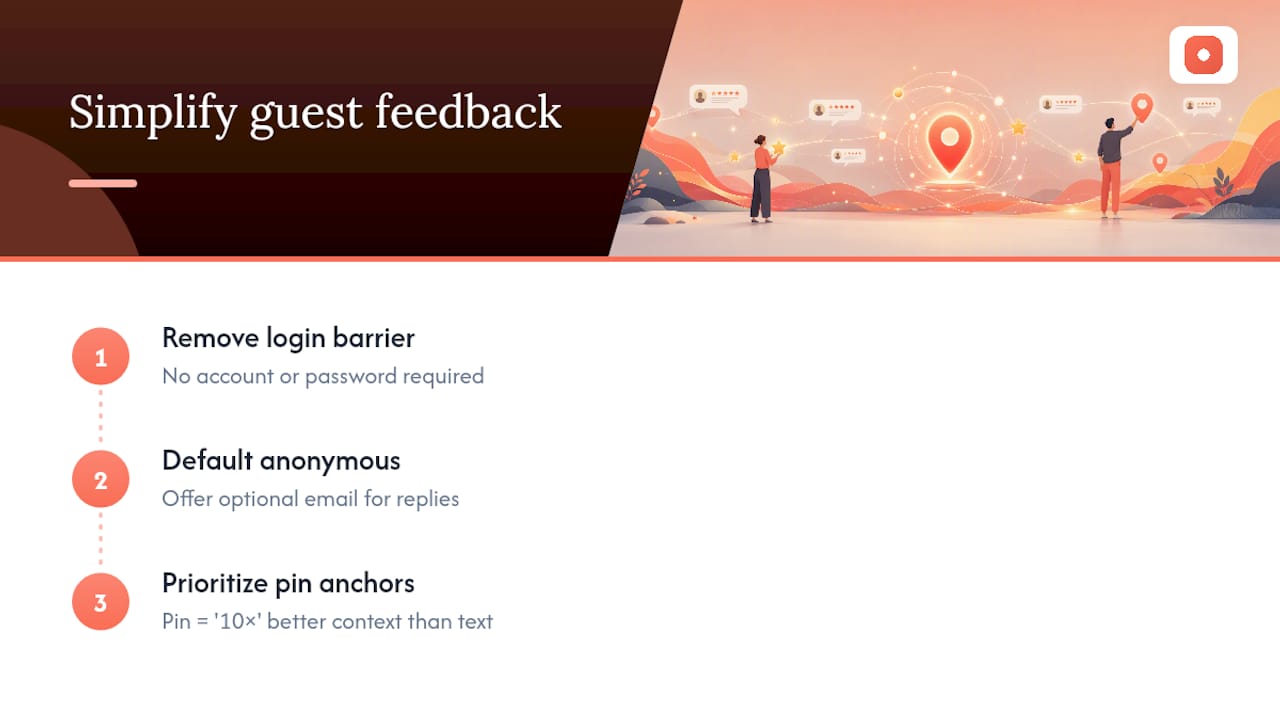
Where most guides fall short is treating anonymity as an all-or-nothing setting. It isn't. The teams getting this right default to anonymous, then quietly offer an optional email field for anyone who wants a reply. That single design choice preserves volume without sacrificing the ability to follow up on a comment that actually needs clarification.
If you take one thing from this guide, prioritize the pin. A comment tied to an exact spot on a screen is worth ten lines of typed description, and it's the difference between a reviewer saying "the button feels off" and a reviewer saying "move it here." Everything else, including passwords and expiration dates and captchas, exists to protect that core interaction, not replace it.
— Pinhub
Try Pinhub for Account-Free Guest Reviews
Everything covered in this guide, from pin-anchored comments to password-protected links to resolution checklists, maps directly to how Pinhub works. Guests click a shared link and pin their comments to the exact spot on a screenshot or design without needing to create an account.

Version control keeps every review round tied to the right file, so approvals can be associated with a specific version. Summaries pull scattered pin comments into a single list your team can act on, and resolution checklists let you close threads like tasks. Password protection and expiring links can be used to help secure shared assets.
If you're ready to stop chasing feedback through email threads, start with Pinhub and send your next review as a link instead of an attachment. For reviewer prompt templates that pair well with this workflow, the design feedback template library is a good next stop.
Further Reading on Feedback Workflows
For deeper process guidance, see this practical guide for agencies running visual reviews, and tactics for closing feedback cycles faster. For the business case behind faster feedback loops, this piece on how customer feedback drives revenue growth adds useful context.
FAQ
Can Guests Leave Feedback Without Creating an Account?
Yes. Loginless share links and embedded review widgets with pin-anchored comments let guests comment directly on a design without signing up for anything.
Is Anonymous Feedback the Same as Fully Private Feedback?
Not quite. Most anonymous submissions are pseudo-anonymous: basic technical details like IP address may be logged briefly for abuse prevention, even though no name is attached.
What Security Controls Should a Loginless Review Link Have?
Password protection, link expiration, invisible captcha, and per-IP rate limiting are the core controls that keep an account-free review link from being abused.
How Do You Prevent Contradictory Feedback From Multiple Stakeholders?
Assign a single feedback wrangler to consolidate input, or require each stakeholder to tag their comments so conflicting directions don't get missed during resolution.
Does Removing the Login Step Actually Save Time?
Teams that let reviewers act through shared links instead of creating accounts commonly report saving more than two hours of internal coordination and about 30 minutes of client time per review round.