
TL;DR:
- A pixel-anchored visual feedback workflow enables rapid ad creative reviews with clear comments and minimized rework. Usepinhub offers a platform that consolidates pixel pins, guest reviewer access, version control, and AI summaries for efficient collaboration. Implementing structured processes and precise feedback reduces review cycles and prevents missed deadlines.
A pixel-anchored visual feedback workflow is the fastest way to run an ad creative review without ambiguity, rework, or lost context. Usepinhub is the recommended platform for teams that need pinned comments, guest reviewer access without account creation, version control, and AI-generated summaries in one place. To get started today, upload your first creative and send a shareable review link to your stakeholders.
Table of Contents
- What does a strong ad creative review workflow look like?
- How do you give feedback that actually speeds up approvals?
- How do you set up the review process and connect it to your stack?
- Key Takeaways
- The case for building review infrastructure before you need it
- Usepinhub makes your first review faster than you expect
- Useful sources and further reading
- FAQ
What does a strong ad creative review workflow look like?
A clear process turns a chaotic email chain into a predictable approval cycle. Follow these eight steps:
- Prepare the approval packet. Include campaign name, channel, objective, audience segment, legal notes, creative specs, due date, and named approvers. A concise approval packet reduces back-and-forth before the review even starts.
- Lock the final file and capture approval. Once all threads are resolved, lock the file and record the signoff. Reserve e-signature for this final checkpoint only, as described in creative approval workflow guidance.
Common inline comment templates:
Pro Tip: Send guest-review links to clients and external approvers before your kickoff call. They arrive already oriented to the creative, which cuts the meeting time in half.
Pro Tip: For animated or motion creatives, record a 90-second Loom walkthrough and attach it to the upload. Reviewers who see the asset in motion leave more specific feedback, as team and client review guides confirm.
How do you give feedback that actually speeds up approvals?
Vague feedback is the single biggest cause of extra revision rounds. These rules keep comments precise and decisions fast.
Feedback quality checklist:
- Be pixel-specific: pin the comment to the exact element, not the general area.
- State the desired outcome: "change to #1A2B3C" beats "make it darker."
- Reference the approval packet: cite the brief, brand guide page, or spec sheet.
- Include an explicit acceptance criterion: "approved when contrast ratio is 4.5:1 or higher."
- Tag the responsible party: every comment needs an owner before the thread closes.
Reviewing creative at the component level (hook, body copy, CTA, format, angle) also helps teams convert qualitative notes into testable changes, which matters when you are preparing assets for A/B testing.
Pro Tip: When you resolve a comment thread, convert it to a checklist item in your project tracker. The resolved thread becomes a change log, and the checklist becomes your QA gate before the v02 upload.
Limit the total number of reviewers to the people who have a genuine decision right. Adding observers to a review thread slows it down. Run legal and creative checks in parallel, and use e-signature only at the final signoff stage.
How do you set up the review process and connect it to your stack?
Setup checklist:
- Standardize creative specs per channel (dimensions, file size, format) in a shared doc.
- Create a reusable approval-packet template with all required fields pre-filled.
- Configure guest-review links so external stakeholders can comment without accounts.
- Set versioning rules: v01 is the first upload, each revision increments the number, and "FINAL" is appended only after all threads resolve.
- Add a naming convention for variants:
campaign_channel_v01_date_author.
Connect your review tool to your notification layer (Slack or Microsoft Teams) so reviewers get a ping when a pin is added or a thread is resolved. Link resolved approvals to your project tracker (Jira, Trello, or Asana) so dev or trafficking tasks trigger automatically. Store locked final files in your cloud storage (Google Drive, Dropbox, or SharePoint) with restricted edit rights on the master folder.
For teams exploring AI-assisted creative workflows, connecting your review tool to an analytics layer lets you track which feedback patterns repeat across campaigns, which is useful for refining your brief template over time.
Pilot the workflow on one campaign type, such as paid social static ads, before expanding. Measure cycle time from upload to final signoff. Once that baseline is under 72 hours, apply the same template to display, video, and email creatives.
Key Takeaways
A pixel-anchored ad creative review workflow with defined roles, version rules, and guest-reviewer links cuts revision rounds and delivers a clean audit trail from upload to final signoff.
| Point | Details |
|---|---|
| Pixel-anchored comments | Pin feedback to the exact element to eliminate ambiguous notes and speed resolution. |
| Limit reviewers | Assign only decision-makers to each review stage; observers slow the cycle. |
| Version every revision | Name files with a consistent convention and increment versions so the history is always clear. |
| Guest links for external stakeholders | External reviewers can comment without creating an account, reducing onboarding friction. |
| Usepinhub as the recommended platform | Usepinhub combines pixel pins, guest links, version control, and AI summaries in one workspace. |
The case for building review infrastructure before you need it
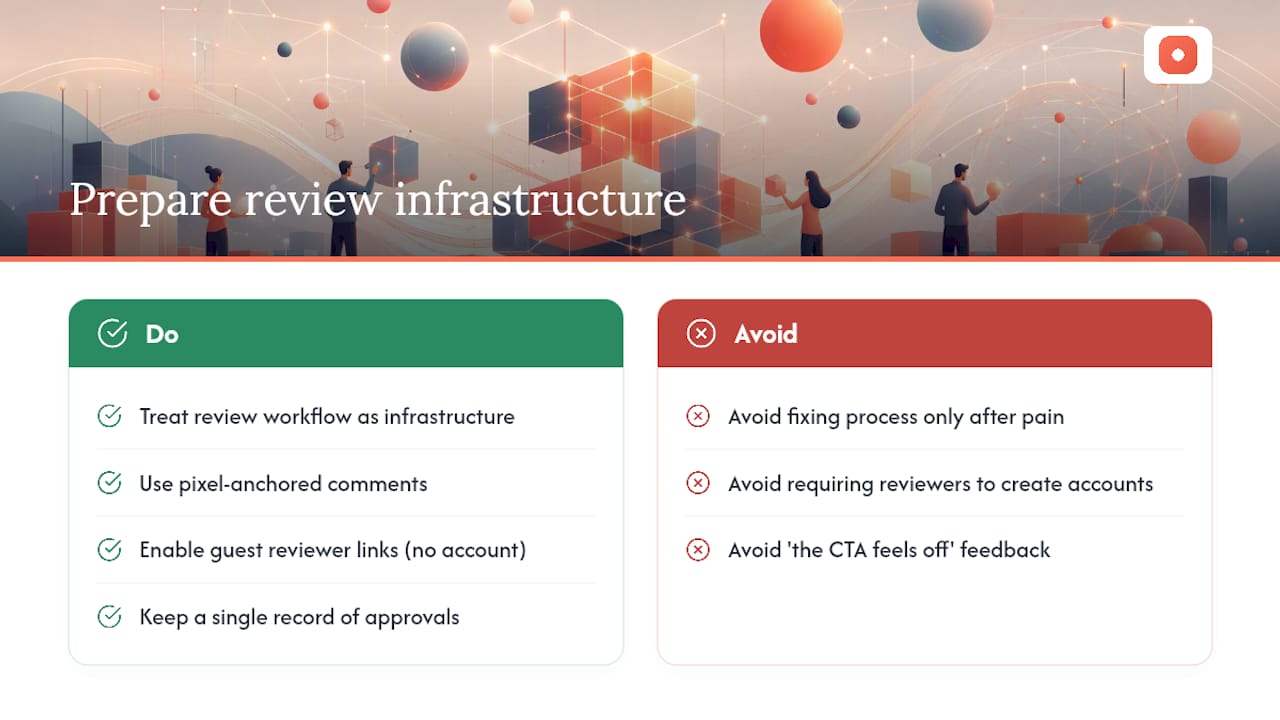
Most teams discover their review process is broken mid-campaign, when a deadline is already slipping. By then, the cost is a missed flight date or a compliance error that ships to paid media. The conventional wisdom is to fix the process after the pain. The better move is to treat the review workflow as infrastructure, not overhead.
Pixel-anchored comments matter not because they are a feature, but because they change the conversation. A designer who receives a pin on a specific element can act immediately. A designer who receives "the CTA feels off" has to schedule a call to find out what that means. That difference compounds across every revision round in every campaign.
Guest reviewer links follow the same logic. Requiring a client or legal contact to create an account before they can leave a comment is a friction point that delays approvals by hours or days. Removing that barrier is not a convenience; it is a structural improvement to your cycle time.
The teams that ship the cleanest campaigns are not the ones with the most reviewers. They are the ones with the clearest process, the fewest handoff gaps, and a single record of what was approved and when.
Usepinhub makes your first review faster than you expect
Faster ad approvals start with a clear process, and Usepinhub gives you the infrastructure to run it from day one. Upload a screenshot or Figma design, drop pixel-anchored pins on every element that needs attention, and send a guest-review link to your client or legal contact. No account required on their end.

The feature set maps directly to what ad creative review requires: pixel pins for precise feedback, guest links for external stakeholders, version control for audit trails, AI summaries to consolidate comment threads, and password-protected share links for sensitive pre-launch assets. A browser extension lets you capture website screenshots without leaving your workflow.
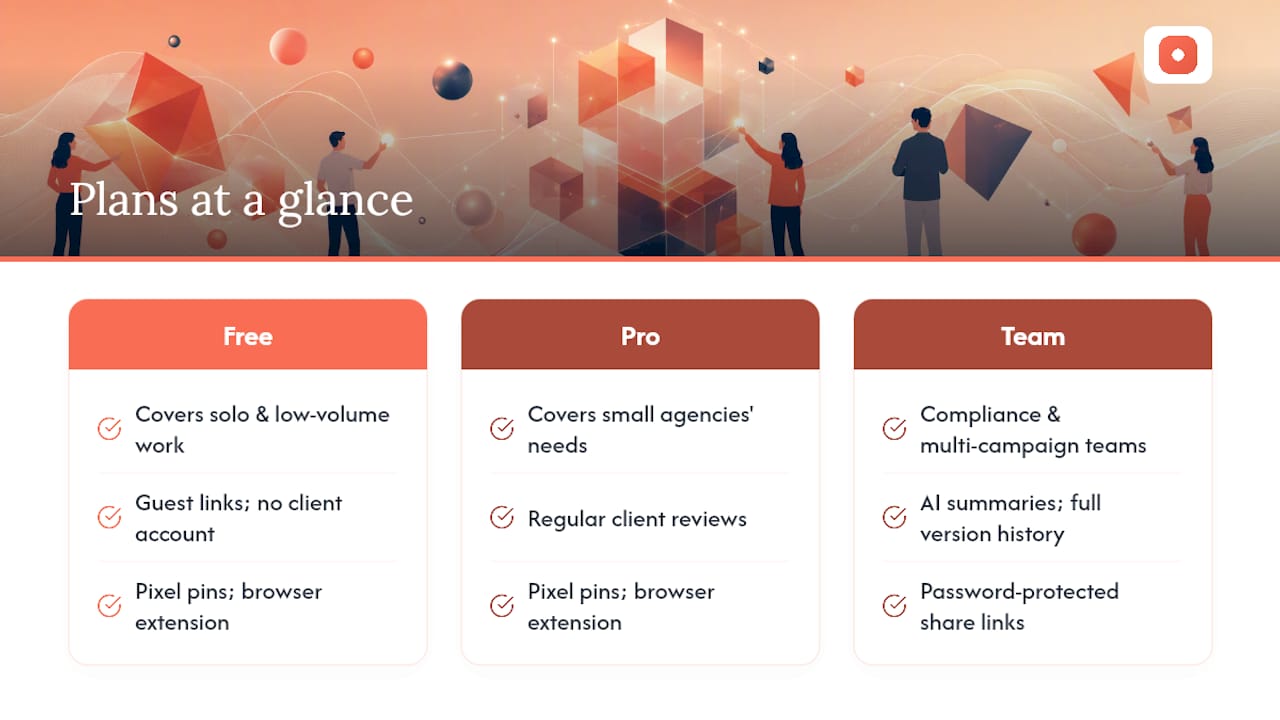
The free plan covers solo and low-volume work. Small agencies doing regular client reviews will find the Pro plan covers everything they need. Teams with compliance requirements or multiple concurrent campaigns should look at the Team plan for AI summaries and full version history.
Start your first review on Usepinhub today. Create a workspace, upload your creative, and send the guest link before your next stakeholder call.
Useful sources and further reading
- Pinhub — Design Feedback & Review Tool for Screenshots
- Best Creative Review Tools for Creative Teams: 2026
- Best Design Feedback Tools for Product and UX Teams
- How Do You Review a Website: A Team & Client Guide
- Feedback for Website Design: A Practical 2026 Guide
- Creative Approval Workflows for Faster Ad Buys
When evaluating any review platform, prioritize tools that support pixel pins, guest reviewers without account creation, and version history. Those three features address the most common causes of review friction.
FAQ
What is an ad creative review?
An ad creative review is the collaborative process of annotating, discussing, and approving advertising assets before they go live. It typically involves pixel-anchored comments, version tracking, and a formal signoff from an approval owner.
How many rounds of review should a single ad creative need?
Most static ad creatives should reach final approval in two revision rounds or fewer when reviewers use pixel-anchored comments and a clear approval packet. Motion or animated creatives may need one additional round.
Can external clients review creatives without creating an account?
Yes. Usepinhub lets you send a guest-review link that allows external stakeholders to open the creative and leave pinned comments without registering for an account.
What should an approval packet include?
A good approval packet covers campaign name, channel, objective, audience, legal notes, creative specs, due date, and named approvers. Keeping it to one page makes it more likely reviewers will actually read it before commenting.
When should you upgrade from a free to a paid review plan?
Upgrade when you need version history for compliance audits, when client work requires guest-reviewer links, or when your monthly review volume makes the free plan's limits a bottleneck.