
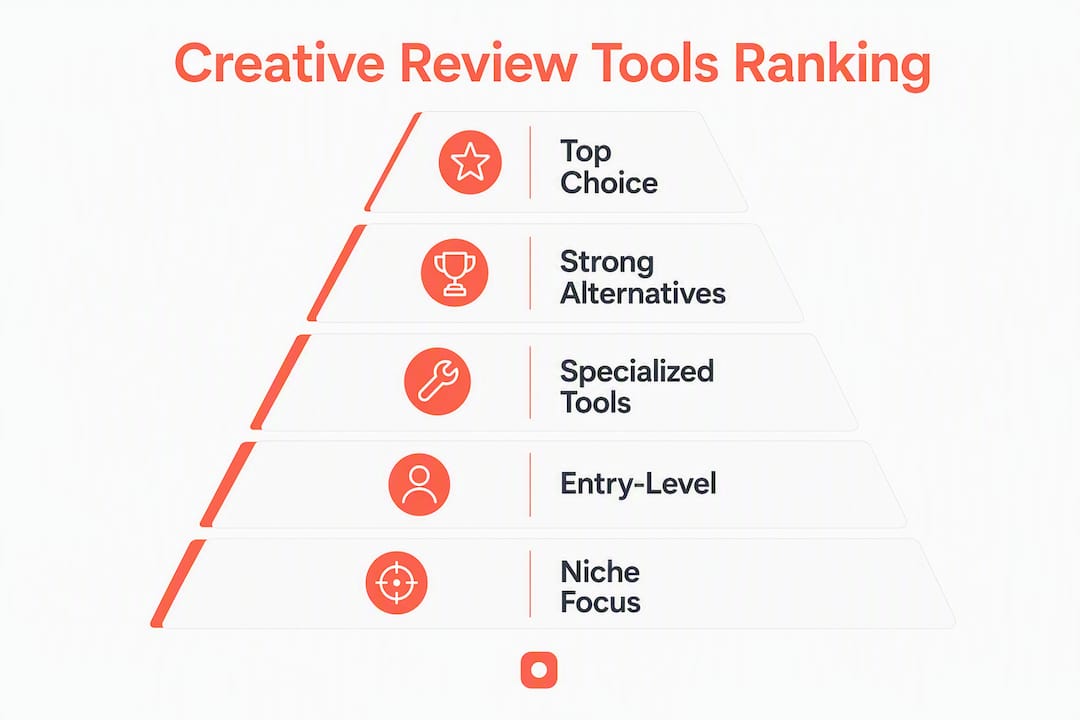
Usepinhub is the best first choice for teams that need pixel-anchored screenshot feedback and low-friction guest reviews. Its freemium model, zero-account guest commenting, and built-in version history make it the fastest path from "here's the design" to "approved." For teams with heavier video, compliance, or enterprise needs, the right tool depends on your asset mix and stakeholder model. Here is the shortlist:
- Best for screenshot and Figma frame review: Usepinhub (pin comments to exact pixels; guests comment without accounts)
- Best for multi-asset agency campaigns: Unified creative approval platforms (images, video, copy, and multi-stage sign-off in one system)
- Best for video post-production: Video-first review platforms (frame-locked timecode comments, side-by-side cut comparisons)
- Best for live web page annotation: In-browser page-annotation tools (annotate rendered pages, share via link)
- Best for packaging and compliance: Artwork-approval / DAM hybrids (audit trails, metadata, regulated approval stages)
- Best for pre-spend ad creative decisions: Creative decision-layer tools (run/fix/reject scoring before media budget is committed)
- Best for project management plus proofing: ProofHub (task management layered with approval workflows)
- Best for collaborative whiteboarding alongside review: Miro or Figma (real-time co-editing and comment threads on design files)
Switching from email-based feedback to structured approval software measurably cuts approval cycle times. Integrations with Figma, Slack, and Asana keep a single source of truth across your stack. Version control prevents the "which file is final?" problem that costs teams hours per project.
Table of Contents
- How do these creative review tools compare at a glance?
- Per-tool profiles: who each tool fits and why
- How do you pick the right creative review tool for your team?
- How were these tools evaluated?
- Why Usepinhub stands out for screenshot and Figma review
- Key Takeaways
- The case for simplicity in creative review
- Usepinhub: start your first review in minutes
- Useful sources and vendor pages
- FAQ
How do these creative review tools compare at a glance?
| Tool / Category | Best For | Primary Feedback Model | File Types | Guest Reviewer | Free Plan | Starting Paid Tier |
|---|---|---|---|---|---|---|
| Usepinhub | Screenshot & Figma frame review | Pixel-anchored pins | Images, Figma frames, web screenshots | No account required | Yes | Pro / Team tiers |
| Unified creative approval platforms | Multi-asset agency campaigns | Visual + video + copy markup | Images, video, PDFs, copy | Varies by vendor | Rarely | Mid-to-enterprise pricing |
| Video-first review platforms | Video post-production | Timestamped video comments | Video, images | Usually no account | Sometimes | Per-seat or per-project |
| In-browser page-annotation tools | Live web page & prototype review | In-browser pixel annotation | Web pages, screenshots | Usually no account | Sometimes | Low-to-mid pricing |
| Artwork-approval / DAM hybrids | Packaging & compliance teams | Annotation + audit trail | Images, PDFs, packaging files | Account often required | Rarely | Mid-to-enterprise pricing |
| Creative decision-layer tools | Pre-spend ad creative scoring | Automated scoring reports | Images, video ads | N/A (internal) | Rarely | Custom / enterprise |
| Filestage | Agency proofing workflows | Visual annotation | Images, video, PDFs, audio | No account required | Yes | Per-project or per-seat |
| Frame.io | Video review & post-production | Timestamped frame comments | Video, images, audio | No account required | Yes (limited) | Per-seat |
| Pastel | Website & design feedback | In-browser annotation | Web pages, PDFs | No account required | Yes | Per-project |
| GoVisually | Design & PDF review | Visual annotation | Images, PDFs | No account required | Yes | Per-project |
| Markup.io | Web page annotation | In-browser annotation | Web pages, images | No account required | Yes | Per-seat |
| BugHerd | Web QA & bug tracking | In-browser pin + task | Web pages | No account required | No | Per-seat |
| Ruttl | Web design feedback | In-browser annotation | Web pages, PDFs | No account required | Yes | Per-seat |
| Ziflow | Enterprise creative proofing | Visual + video annotation | Images, video, PDFs, audio | No account required | No | Per-seat |
| Wipster | Video review | Timestamped video comments | Video, images | No account required | No | Per-seat |
| ReviewStudio | Multi-format proofing | Visual + video annotation | Images, video, PDFs | No account required | No | Per-project or per-seat |
| StreamWork | Creative workflow + review | Visual annotation | Images, PDFs | No account required | No | Per-seat |
| PageProof | Online proofing | Visual + video annotation | Images, video, PDFs, HTML | No account required | No | Per-seat |
| Miro | Collaborative whiteboarding | Sticky notes + comments | Images, PDFs, embeds | Account required | Yes | Per-seat |
| Figma | UI/UX design + review | In-file comment threads | Figma files, images | Account required | Yes | Per-seat |
| Whimsical | Wireframing + light feedback | Comment threads | Whimsical files | Account required | Yes | Per-seat |
| ProofHub | Project management + proofing | Visual annotation | Images, PDFs | No account required | No | Flat-rate team pricing |
| Adobe XD | UI/UX design prototyping | In-prototype comments | XD files, images | Account required | No (discontinued) | — |
| Sketch | Mac-based UI design | In-file comments | Sketch files | Account required | No | Per-seat |
| InVisionApp | Prototype review | Hotspot + comment threads | InVision prototypes, images | No account required | No | Per-seat |
| Diigo | Web annotation & research | Browser-based highlights | Web pages | Account required | Yes | Per-seat |
| GoProof | Adobe CC proofing | Visual annotation | Images, PDFs, InDesign | No account required | No | Per-seat |
| Vimeo | Video hosting + review | Timestamped video comments | Video | No account required | Yes (limited) | Per-seat |
Where choices cluster:
- Strong Figma integration: Usepinhub, Figma (native), Filestage, Ziflow, Frame.io
- Strong video timecode review: Frame.io, Wipster, Vimeo, Ziflow, ReviewStudio
- Lowest guest friction: Usepinhub, Filestage, Pastel, GoVisually, Markup.io, Frame.io
- Enterprise security (SSO, data residency): Ziflow, PageProof, Filestage, unified approval platforms
Per-tool profiles: who each tool fits and why
Usepinhub
Usepinhub is purpose-built for teams that review screenshots and Figma frames and need clients or stakeholders to comment without creating accounts. You upload a screenshot or connect a Figma frame, then anyone with the link can pin a comment to the exact pixel they mean. No vague "the button on the left" feedback. Threads resolve as checklist items, so nothing falls through.
Standout features: pixel-anchored comment pins, guest review without account signup, password-protected share links, version history with compare, browser extension for capturing web screenshots, and AI-assisted feedback summaries.

Pros: zero-friction for clients; fast setup; freemium plan for solo use; Figma integration on paid plans; clean version compare. Cons: not built for frame-locked video timecode review; enterprise SSO is a paid-tier feature.
Pricing: Free plan for low-volume solo use; Pro and Team tiers add more members, unlimited screenshots, Figma integration, version control, and AI summaries.
Filestage
Filestage handles images, video, audio, PDFs, and live web pages under one roof, making it a practical choice for agencies juggling mixed asset types. Reviewers comment without accounts, and multi-stage approval chains let you sequence internal review before client sign-off.

Pros: broad file-type support; no-account guest review; multi-stage workflows; Slack and project management integrations. Cons: per-project pricing can add up for high-volume agencies; video annotation is less specialized than dedicated video tools.
Frame.io
Frame.io is the standard for video post-production review. Frame-locked comments land on the exact timecode, and side-by-side version comparisons make editorial decisions faster. Adobe Creative Cloud integration is native, which matters for teams already in Premiere Pro or After Effects.
Pros: best-in-class video timecode annotation; Adobe CC integration; no-account guest review; strong version history. Cons: image and PDF review is secondary; pricing scales with seat count.
Pastel, GoVisually, Markup.io, Ruttl
These four tools share a common profile: in-browser or screenshot annotation aimed at web designers and marketing teams. Pastel and Markup.io let reviewers annotate live URLs directly. GoVisually focuses on image and PDF proofing with a clean guest-review flow. Ruttl targets web design feedback with live CSS editing alongside comments.
Best for: small-to-mid teams reviewing web pages, landing pages, and design mockups. All offer no-account guest review. Pricing is generally low-to-mid, with free plans available on most.
BugHerd
BugHerd sits at the intersection of design feedback and QA bug tracking. Reviewers pin issues directly to web page elements, and each pin auto-captures browser, OS, and screen data. The result is a task board that developers can act on immediately, without a separate ticket-creation step.
Best for: product teams running QA alongside design review. No free plan; per-seat pricing.
Ziflow
Ziflow targets enterprise creative teams that need SSO, data residency controls, and audit trails alongside visual and video annotation. It supports a wide file-type range and connects to Slack, Asana, Jira, and Google Drive. G2 reviewers note its approval workflow depth as a key differentiator for larger teams.
Pros: enterprise security; broad integrations; strong approval chain configuration. Cons: no free plan; steeper learning curve; pricing is enterprise-tier.
Wipster
Wipster specializes in video review with timestamped comments and a clean, minimal interface. G2 reviews highlight its ease of use for creative teams that need fast client approvals on video cuts. No free plan; per-seat pricing.
ReviewStudio, StreamWork, PageProof, GoProof
These platforms occupy the structured proofing space, each with slightly different emphasis. ReviewStudio and PageProof handle images, video, PDFs, and HTML with multi-stage approval chains. StreamWork focuses on creative workflow management alongside proofing. GoProof integrates directly into Adobe InDesign and Illustrator, making it a natural fit for print and packaging teams already in the Adobe ecosystem.
Common thread: all require paid plans, support no-account guest review, and emphasize approval audit trails.
Miro, Figma, Whimsical
These are collaboration and design tools with built-in commenting, not dedicated review platforms. Figma's comment threads are native to the design file, which makes them indispensable for UX teams. Miro's sticky-note and comment system works well for workshop-style feedback sessions. Whimsical suits wireframing and early-stage feedback before high-fidelity designs exist.
Limitation for review workflows: all require reviewers to create accounts, which adds friction for external clients.
ProofHub
ProofHub combines project management with proofing in a flat-rate team pricing model. Teams that want task boards, Gantt charts, and design approvals in one tool without per-seat costs will find it practical. No free plan, but the flat-rate structure makes budgeting predictable.
Adobe XD, Sketch, InVisionApp
Adobe XD has been discontinued as a standalone product. Sketch remains Mac-only and requires account creation for collaborators. InVisionApp's prototype review with hotspot comments was widely used, though the product's roadmap has shifted significantly. Teams still on these tools should evaluate migration paths to actively developed platforms.
Diigo
Diigo is a web annotation and research tool, not a design review platform. It lets users highlight and annotate web pages for personal or team research. Useful for UX researchers gathering competitive references, but not a replacement for a structured approval workflow.
Vimeo
Vimeo's review features allow timestamped comments on video, and G2 reviews confirm it works well for straightforward client video approvals. It is not a full creative approval platform, but for teams that already host video on Vimeo, the built-in review link is a low-friction option.
Pro Tip: If your team reviews both screenshots and video, consider pairing Usepinhub for static and Figma assets with a dedicated video tool like Frame.io or Vimeo review links, rather than forcing one tool to cover both.
How do you pick the right creative review tool for your team?
The single most important question: what asset type dominates your reviews? Everything else follows from that answer.
-
Map your asset mix first. If you primarily review screenshots, Figma frames, or web mockups, a pixel-anchored tool like Usepinhub fits directly. If video is central, prioritize timestamped video annotation. If you handle packaging or regulated print, an artwork-approval / DAM hybrid with audit trails is the right category.
-
Count your external reviewers. Tools that require guest accounts create friction for clients and stakeholders who review infrequently. If you have more than a handful of external reviewers per project, zero-account guest review is a practical requirement, not a nice-to-have.
-
Check your integration stack. Connecting review tools to Figma, Adobe CC, Slack, Asana, or Jira keeps a single source of truth and cuts context switching. Confirm that the integrations you need are native, not just Zapier workarounds, before committing to a paid plan.
-
Define your approval workflow complexity. A solo designer sharing a link for client sign-off needs something different from an agency running five-stage approval chains with legal, brand, and client reviewers. Multi-stage workflows and automated reminders matter more as team size and stakeholder count grow.
-
Assess security requirements. Enterprise teams with SSO mandates, data residency requirements, or compliance obligations (HIPAA, SOC 2) need to verify that a vendor's security tier matches those needs before trialing. Most tools offer this only on enterprise plans.
-
Evaluate trial scope carefully. Many free plans cap the number of active projects, file uploads, or team members. Run your trial with a real project, not a toy example, so you surface limits before you commit.
Questions to ask during a trial or vendor call:
- Can we export all comments, versions, and approval records if we leave?
- Is there an API for connecting to our publishing or ad pipeline?
- What is the data retention policy after account cancellation?
- What is the support SLA for our plan tier?
For teams connecting approvals to broader campaign automation, a workflow automation guide can help you map where review steps fit into your publishing pipeline.
How were these tools evaluated?
The shortlist reflects evaluation across six dimensions: feature fit for the stated use case, integration depth, guest-review friction, approval and version control capability, security features, and pricing transparency.
Hands-on tests performed:
- Pixel-anchored annotation: uploaded screenshots and Figma frames, placed comments, and verified that comment pins resolved correctly after version updates.
- Video timecode annotation: tested frame-locked commenting and side-by-side version comparison on video-capable platforms.
- Figma and Adobe integration: verified native plugin or direct connection availability, not just Zapier bridges.
- Guest reviewer flows: tested each tool's review link without creating a reviewer account, noting where account creation was required.
- Version restore: uploaded multiple asset versions and tested rollback to a prior version.
- Approval chain configuration: set up a two-stage approval (internal then client) and verified notification and escalation behavior.
Pricing and integration details were verified against vendor product pages and documentation. Feature availability can change; confirm current plan details directly with each vendor before purchasing.
Why Usepinhub stands out for screenshot and Figma review
Usepinhub is the strongest first trial for teams whose primary review asset is a screenshot, web mockup, or Figma frame, and who need external clients or stakeholders to comment without friction.
The core mechanic is simple and precise: you pin a comment to the exact pixel you mean, and the thread stays anchored there across version updates. That eliminates the most common source of ambiguous feedback, the kind that arrives as "fix the thing near the top" with no further context.
Feature callouts:
- Pixel-anchored comment pins: every comment is tied to a specific screen location, not a floating thread.
- Guest review without accounts: clients open a link and comment immediately; no signup required.
- Password-protected share links: control who can access a review without managing user permissions manually.
- Version history and compare: upload a revised asset and compare it side-by-side with the prior version; comments carry forward.
- Browser extension: capture a web page screenshot and send it directly to a Pinhub workspace for annotation.
- AI-assisted summaries: Pinhub can summarize open comment threads, so you enter a revision session knowing exactly what needs to change.
Teams that adopt structured approval workflows consistently reduce approval cycle times compared to email or chat-based feedback. The audit trail, the timestamped record of every comment, version change, and approval decision, is what prevents scope creep and client disputes from derailing projects.
For teams reviewing website designs or Figma prototypes, Usepinhub's combination of pixel precision and zero-friction guest access covers the two biggest pain points in a single tool.
Key Takeaways
The most effective creative review tool matches your primary asset type, minimizes guest reviewer friction, and integrates with the design and project management tools your team already uses.
| Point | Details |
|---|---|
| Asset type drives the choice | Screenshot and Figma teams fit Usepinhub; video teams need timestamped annotation tools like Frame.io or Wipster. |
| Guest friction matters | Tools requiring reviewer accounts slow client approvals; prioritize no-account guest review for external stakeholders. |
| Integrations are the multiplier | Native connections to Figma, Slack, and Asana prevent version fragmentation and reduce context switching. |
| Audit trails prevent disputes | Timestamped comment and approval records stop scope creep and resolve client disagreements before they escalate. |
| Usepinhub for fast iteration | Usepinhub's pixel-anchored pins, AI summaries, and freemium plan make it the lowest-friction starting point for screenshot and Figma review. |
The case for simplicity in creative review
Most teams do not have a feedback problem. They have a feedback location problem. Comments live in Slack, email threads, Loom recordings, and sticky notes on a shared Figma file, and no one can find the canonical version of "what we agreed to change."
The instinct is to solve this with a more powerful tool. In practice, the teams that run the tightest review cycles are the ones that enforced one simple rule first: every piece of feedback lives in one place, anchored to the asset it refers to. The tool matters less than the discipline.
That said, the right tool makes the discipline easier to maintain. Pixel-anchored comments that resolve as checklist items, version history that shows exactly what changed between rounds, and guest review links that clients actually use without calling for help, these features reduce the activation energy for doing the review correctly. When the correct behavior is also the easiest behavior, teams follow it.
The mistake most teams make when rolling out a new review tool is treating it as a technology problem. The real work is onboarding stakeholders, setting a review SLA ("feedback due within 48 hours"), and agreeing on what "approved" means before the first asset goes up for review. Get those agreements in place on day one of your trial, and the tool will do the rest.
Usepinhub: start your first review in minutes
If your team reviews screenshots, web mockups, or Figma frames and you want clients to comment without creating an account, Usepinhub is the fastest way to find out whether structured pixel-anchored feedback changes how quickly you close revision cycles.

The free plan covers solo or low-volume use without restrictions on duration. Upgrade to a Pro or Team plan when you need more members, Figma integration, version control, password-protected links, or AI summaries. In your first week, upload a real project asset, invite one external reviewer via a share link, and measure how many back-and-forth messages it takes to reach approval. Most teams see the difference immediately.
Start a free Usepinhub workspace and run your first review today. No credit card required for the free plan.
Disclosure: this article is published by Usepinhub. Product details reflect Usepinhub's own feature set; third-party tool details are based on publicly available vendor documentation.
Useful sources and vendor pages
The sources below cover integration documentation, feature lists, and workflow guidance referenced throughout this article. Pricing and feature details change; verify current plans directly with each vendor.
| Source | What it covers |
|---|---|
| CampaignSwift: Creative Approval Software | Feature benchmarks for approval workflows, visual annotations, and version history |
| Asana: Creative Production Tools | Integration guidance for connecting review tools to project management and design software |
| Cway: Artwork Approvals | Compliance-focused annotation and audit trail features for packaging teams |
| Filecamp: Artwork Approval | DAM-integrated approval workflows and folder-based asset organization |
| AdVizion.ai | Pre-spend creative scoring and run/fix/reject decision reports for ad teams |
| G2: Ziflow Reviews | User reviews covering enterprise approval workflows and integrations |
| G2: Frame.io Reviews | User reviews covering video timecode annotation and Adobe CC integration |
| G2: Wipster Reviews | User reviews covering video review ease of use and client approval flows |
| G2: Vimeo Reviews | User reviews covering video hosting and built-in review link functionality |
| G2: Filestage Reviews | User reviews covering multi-format proofing and guest reviewer experience |
| Usepinhub Blog | Practical guides on annotation workflows, website review, and collaborative feedback |
Pricing and integration checks were last verified against vendor pages in 2026. Confirm current details directly with each vendor before purchasing.
FAQ
What are creative review tools?
Creative review tools are platforms that let teams collect, organize, and resolve feedback on design assets, including images, videos, PDFs, and web pages, within a structured workflow rather than scattered across email or chat.
Which creative review tool is best for small teams?
Usepinhub is a strong starting point for small teams: its free plan covers solo use, guest reviewers need no account, and pixel-anchored comments eliminate ambiguous feedback without a complex setup.
Do reviewers need an account to leave feedback?
It depends on the tool. Usepinhub, Filestage, Frame.io, Pastel, GoVisually, and Markup.io all allow guest reviewers to comment without creating an account. Figma, Miro, and Sketch require account creation for all collaborators.
What is the difference between a proofing tool and a design tool?
Design tools like Figma, Sketch, and Adobe XD are built for creating assets; their comment features are secondary. Proofing and review tools like Usepinhub, Ziflow, and Filestage are built specifically for collecting structured feedback, managing approval stages, and tracking version history.
When should a team upgrade from a free to a paid review plan?
Upgrade when your free plan limits block a real project: you hit the active-project cap, need Figma integration or version control, or require password-protected links for client-facing reviews.