
The three most widely trusted services for password protected file sharing are Dropbox, Proton Drive, and WeTransfer. Each adds a required password before recipients can access your files, so a leaked link alone is not enough for unauthorized access. Here is a quick look at what each offers:
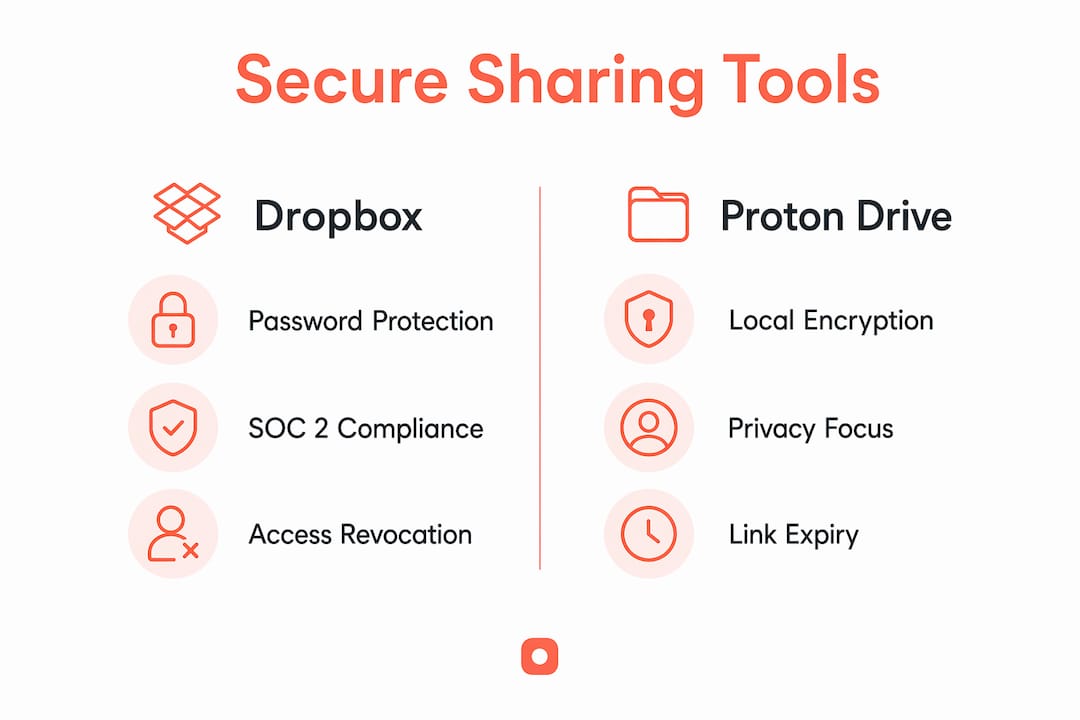
- Dropbox — password protection at the link level, AES-256 encryption in transit and at rest, SOC 2 and HIPAA compliance, audit logs, and broad platform support
- Proton Drive — folder-level password protection, client-side zero-knowledge encryption, and strict access controls with no server-side key storage
- WeTransfer — link-level password protection, automatic encryption, and a no-account transfer option for quick, ad-hoc sharing
All three support link expiration and access revocation. Proton Drive goes furthest on privacy; Dropbox goes furthest on compliance and team controls; WeTransfer is the fastest to use for one-off transfers.
How do Dropbox, Proton Drive, and WeTransfer compare?
Each platform takes a different approach to securing shared files, and the differences matter depending on your use case.
| Service | Password protection type | Encryption | Sharing controls | Compliance | Best for |
|---|---|---|---|---|---|
| Dropbox | File, folder, link | AES-256 in transit and at rest | Expiry, revoke, audit logs | SOC 2, HIPAA | Teams needing compliance and broad integrations |
| Proton Drive | File, folder, link | Zero-knowledge, client-side AES-256-GCM | Expiry, revoke | Privacy-first | Users prioritizing end-to-end encryption |
| WeTransfer | Link | AES-256 in transit | Expiry | — | Quick transfers with no account required |
Dropbox is the most complete option for organizations that need to demonstrate compliance. Its SOC 2 and HIPAA certifications mean it can handle protected health information and regulated business data, and its audit logs give administrators a clear record of who accessed what and when.
Proton Drive takes a fundamentally different approach. Files are encrypted locally using AES-256-GCM before they ever reach Proton's servers, and decryption keys are never stored server-side. That zero-knowledge architecture means even a server breach would expose only encrypted data. You can password-protect an entire folder so every file inside it shares the same access control, which helps when sharing project directories rather than individual documents.

WeTransfer trades depth for speed. Password protection applies at the link level, encryption covers data in transit, and recipients do not need an account to download. For sending a large design file or a batch of photos to a client quickly, it is hard to beat. For regulated industries or ongoing collaboration, it is not the right fit.

Pricing follows a freemium model across all three: free tiers cover basic features, while paid plans unlock advanced security controls, larger file sizes, and team management. Dropbox and Proton Drive both publish tiered subscription plans; WeTransfer's paid tier adds password protection and custom expiry to the free transfer experience.
How to choose the right secure file sharing solution
Picking the right tool comes down to four practical questions: What data are you sharing? Who needs access? What regulations apply to you? And how much friction can your recipients tolerate?
Security and encryption. Look for AES-256 encryption at rest and in transit as a baseline. If you handle sensitive personal data, zero-knowledge encryption (where the provider cannot read your files) is worth the added setup. Key derivation functions like PBKDF2 or bcrypt convert user passwords into cryptographic keys that resist brute-force attacks, so check whether your chosen service uses them.
Compliance certifications. For US-based professionals in healthcare, finance, or legal services, SOC 2, ISO 27001, and HIPAA certifications are not optional extras. Unmanaged file sharing creates shadow IT risk and can expose your organization to compliance violations. Platforms that carry these certifications have been independently audited against defined security controls.
Audit trails and access management. Verify that the service logs access attempts, successful downloads, and failed password entries. For legal and compliance purposes, an audit trail gives you evidence of who accessed a file and when. Combine that with the ability to revoke links at any time, and you retain control even after a file has been shared.
Scalability and collaboration. Individual users can often get by with a free tier. Teams need centralized administration, user roles, and time-limited links with download limits. Enterprise environments may require single sign-on (SSO), automated key rotation, and granular permissions that go beyond what standard password protection offers.
Pro Tip: Never send the password and the download link in the same message. Use a separate channel, such as a phone call or an encrypted messaging app, to share the password. If one channel is compromised, an attacker still cannot access the file without both pieces.
What does password protection actually do for file security?
Password-protected file sharing adds a second authentication layer on top of a unique link. Even if someone intercepts or guesses the link, they still cannot open the file without the password. That combination of a hard-to-guess URL and a user-defined password is what makes this approach meaningfully more secure than a plain shared link.
The technology behind it matters. Strong services use AES-256-GCM for file encryption and key derivation functions like PBKDF2 or bcrypt to turn your password into a cryptographic key. Bcrypt, for example, is designed to be computationally slow, which makes automated brute-force attacks impractical even with modern hardware.
Best practices for secure file sharing:
- Use a strong, unique password for each shared file or folder; avoid dictionary words or reused credentials
- Send the password through a different channel than the download link
- Set an expiration date on every shared link and revoke access as soon as it is no longer needed
- Share links only with intended recipients and verify their identity before sending
- Regularly review active shared links and delete any that are no longer necessary
One common pitfall is treating password protection as a complete solution. It is a strong layer of control, but it works best alongside careful link management and recipient verification. A password on a link shared publicly in a Slack channel or a forum offers far less protection than the same password sent privately to a named recipient.
Usepinhub adds secure sharing to your feedback workflow
If your work involves sharing design screenshots, mockups, or UI reviews with clients or teammates, Usepinhub offers a different kind of secure collaboration. Rather than just transferring files, it lets you share screenshots with password-protected links so only invited reviewers can view and comment on your work.

Usepinhub's visual feedback platform lets guest reviewers pin comments directly onto specific areas of an image without creating an account, which removes friction for clients while keeping access controlled. AI-powered summaries consolidate feedback threads into clear action lists, and version control keeps every iteration organized. For design teams and marketing agencies that share sensitive work-in-progress assets, password-protected links combined with pinned, threaded feedback replace the back-and-forth of emailed screenshots and vague revision notes. You can also learn more about securely sending files as part of a broader secure sharing workflow.
Key Takeaways
Password protection adds a meaningful second layer of access control, but its effectiveness depends on how carefully you manage links and share credentials.
| Point | Details |
|---|---|
| Second-layer security | Password protection prevents access even when a shared link is intercepted or leaked. |
| Encryption standards matter | Look for AES-256-GCM encryption and key derivation via PBKDF2 or bcrypt for strong protection. |
| Compliance certifications | SOC 2, ISO 27001, and HIPAA certifications are required for regulated industries in the US. |
| Out-of-band password sharing | Always send the password through a separate channel from the download link. |
| Usepinhub for design teams | Usepinhub adds password-protected link sharing to a visual feedback workflow, with no account required for guest reviewers. |
FAQ
Can you share a password-protected file with anyone?
Yes. Most services let you share a password-protected link with anyone, and recipients do not need an account to access the file. They simply enter the password at the download page.
Can you password-protect a shared document in Dropbox?
Dropbox lets you add a password to any shared link, file, or folder. The recipient must enter the password before downloading, and you can revoke or update the link at any time.
Is Dropbox password protected by default?
Dropbox encrypts all data in transit and at rest, but password protection on shared links is not enabled by default. You must manually add a password when creating a shared link, which is available on paid plans.
How do I send a password-protected document securely?
Upload the file to a service like Dropbox or Proton Drive, set a strong password on the shared link, then send the link and the password through two separate channels, such as email for the link and a text message or phone call for the password.