
Managing feedback and approvals across multiple creative assets often leads to confusion and delays. Most tools restrict flexible reviewer access or force teams to choose between predictable pricing and accurate, context-rich feedback. Teams can choose an online proofing tool alternative that matches workflow complexity, collaboration needs, and budget without compromising on accuracy or reviewer access.
Table of Contents
Pinhub
At a Glance
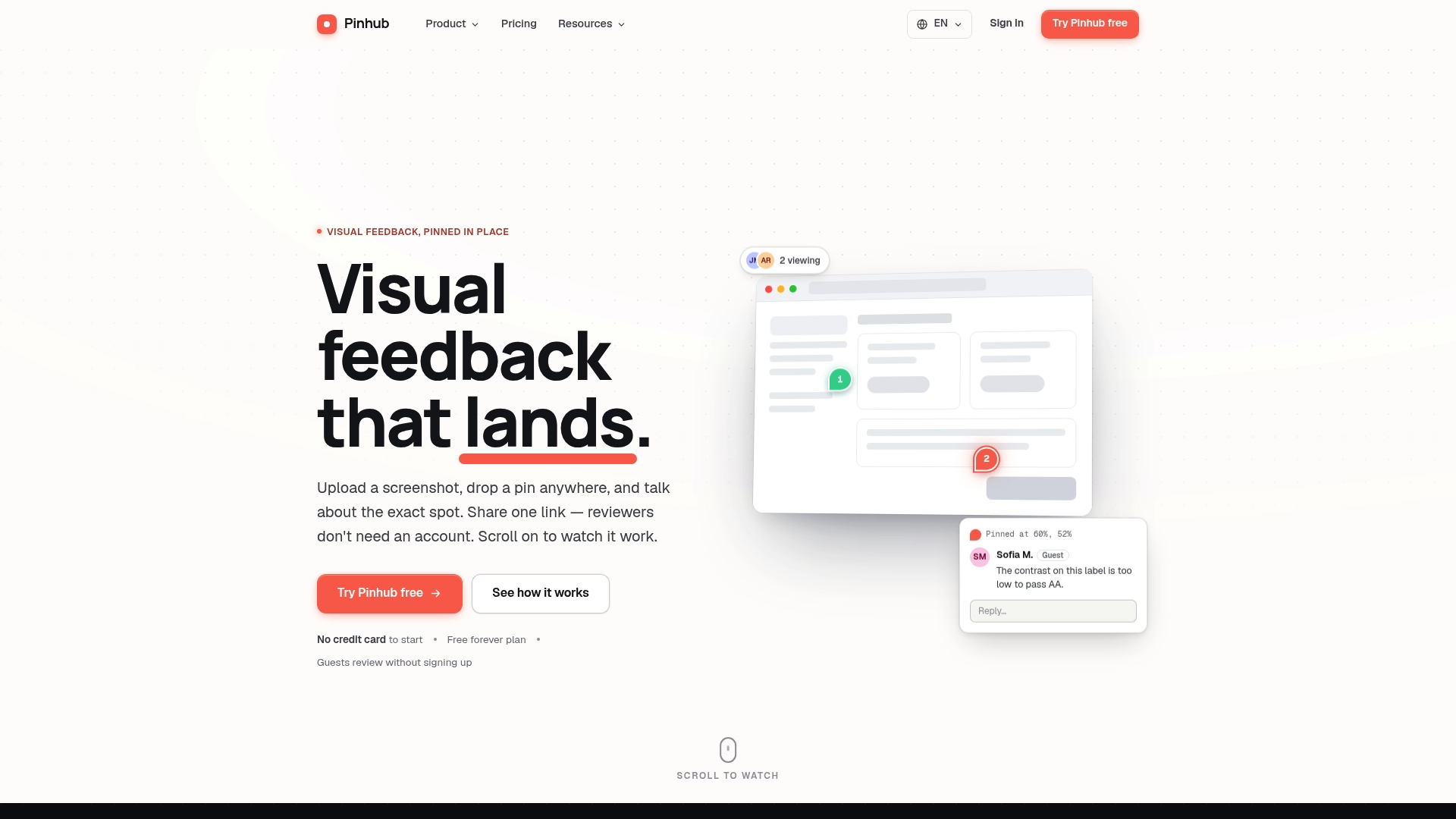
Guest reviewers can leave pinned comments without creating accounts. Pinhub anchors feedback to exact image pixels, so comments refer to a single UI element. Pricing is charged per workspace, which keeps team billing predictable for agencies and product groups.
Core Features
Pinhub uses pin-based comments tied to exact image locations and threaded discussions to keep context clear. It offers shareable links so external reviewers can comment without signing up, plus live presence indicators and password protected sharing for private reviews. The tool includes version control, Figma import, AI summaries of feedback, and form and poll creation for structured input.
Key Differentiator
The clearest advantage is pixel-accurate, threaded feedback that stays anchored to the image location after updates. Reviewers who lack accounts can still participate, which avoids license juggling for short reviews. Workspace-based flat pricing pairs with the pin method to make budgeting and collaboration predictable.
Pros
Precision reduces back-and-forth because comments point to a single pixel region and carry threaded replies. Guest access via one link removes the friction of account creation for clients and contractors. The workspace billing model and version history make it easier for teams to track changes and manage costs. Built-in Figma import and AI summaries speed review cycles by pulling designs directly and turning comments into short action lists.
Cons
- Limited integrations beyond Figma may restrict automation with project management and reporting tools.
Notable Integrations
Pinhub lists integration with Figma for importing designs directly into review sessions. That connection lets teams move files from design into the feedback space without manual uploads.
Who It's For
Designers, product managers, and development teams that review visual assets and want precise, image anchored feedback will get the most value. Agencies that collect client notes from nontechnical stakeholders will appreciate guest access without account setup. Remote teams that count on version history and clear threads will use it to shorten revision cycles.
Unique Value Proposition
Workspace pricing removes per seat fees and lets you include clients as guest reviewers at no extra license cost. That pricing model reduces overhead for agencies that run many short reviews. Coupled with pixel anchors and threaded comments, teams spend less time guessing what feedback referred to and more time resolving issues.
Real World Use Case
A product team shares a screenshot of a home page with a client via a single link. The client drops pins on problem areas, the team resolves each pin using threaded replies, and AI summaries create a checklist of fixes. Version control shows which screenshot introduced each change and who closed each pin.
Pricing
Free plan for basic use. Pro plan at $19/month adds unlimited screenshots and AI summaries. Team plan at $39/month supports multiple admins and larger group workflows.
Website: https://usepinhub.com
Ziflow

At a Glance
Ziflow's marketing materials state it is trusted by thousands of companies worldwide. The product targets large, regulated organizations that need strict access controls and audit trails. It pairs automated review flows with version comparison to handle high volumes of creative assets.
Core Features
Ziflow centralizes review for documents, video, images, and web assets while keeping prior versions accessible. The platform supports automated routing and templated review workflows, and it offers granular collaborative markup tools. It also includes ReviewAI to check brand and compliance rules during reviews.
Key Differentiator
Ziflow focuses on enterprise-scale automation and security, offering highly configurable workflows for complex review processes. That emphasis on governance and custom routing fits regulated teams and global agencies better than tools built for small, ad hoc feedback loops.
Pros
Ziflow provides a centralized environment that holds every iteration in one place, which reduces confusion around which version is current. Its automation and templated routing reduce repetitive admin work for large projects, and the platform’s comparison view makes spotting changes fast. The vendor states Ziflow supports enterprise security certifications, which helps teams with compliance requirements.
Cons
-
The interface has a steep learning curve, which can slow onboarding for teams without dedicated admins.
-
Pricing targets enterprise buyers and may be prohibitive for smaller teams or freelancers.
-
Users report occasional platform freezes that interrupt review sessions.
-
Intake form capabilities are limited for some workflows, forcing workarounds.
-
Retrieving older downloaded documents can be difficult once they leave the system.
When It May Not Fit
If your team is small or you run projects with infrequent reviews, Ziflow’s complexity and price point will feel heavy. Organizations that need a simple ad hoc feedback tool will likely pay for features they do not use. Teams that cannot assign a power user to manage templates and workflows may see slow adoption.
Notable Integrations
Ziflow integrates with common work tools to keep proofs in your existing flow. Supported connections include monday.com, Asana, Jira, Adobe Creative Cloud, Google Drive, Slack, and Teams.
Who It's For
Large creative and marketing teams inside enterprises, advertising networks, and regulated organizations will get the most value. Teams that run hundreds of assets per campaign and require audit trails, brand governance, and custom routing belong here.
Real World Use Case
According to the vendor, an international advertising agency reduced review cycles from days to hours using Ziflow. In practice the agency automated reviewer assignment, centralized comments, and used version compare to avoid rework across markets.
Pricing
Pricing is not publicly specified. Plans target enterprise customers, and the product data implies a higher cost that may be difficult for small teams to justify.
Website: https://ziflow.com
PageProof
At a Glance
PageProof starts at $2,499/year for the Team plan with unlimited proofs and storage. The product focuses on visual, video, and document review across many file types. It pairs review workflows with automated reminders and dashboards to keep reviewers on schedule.
Core Features
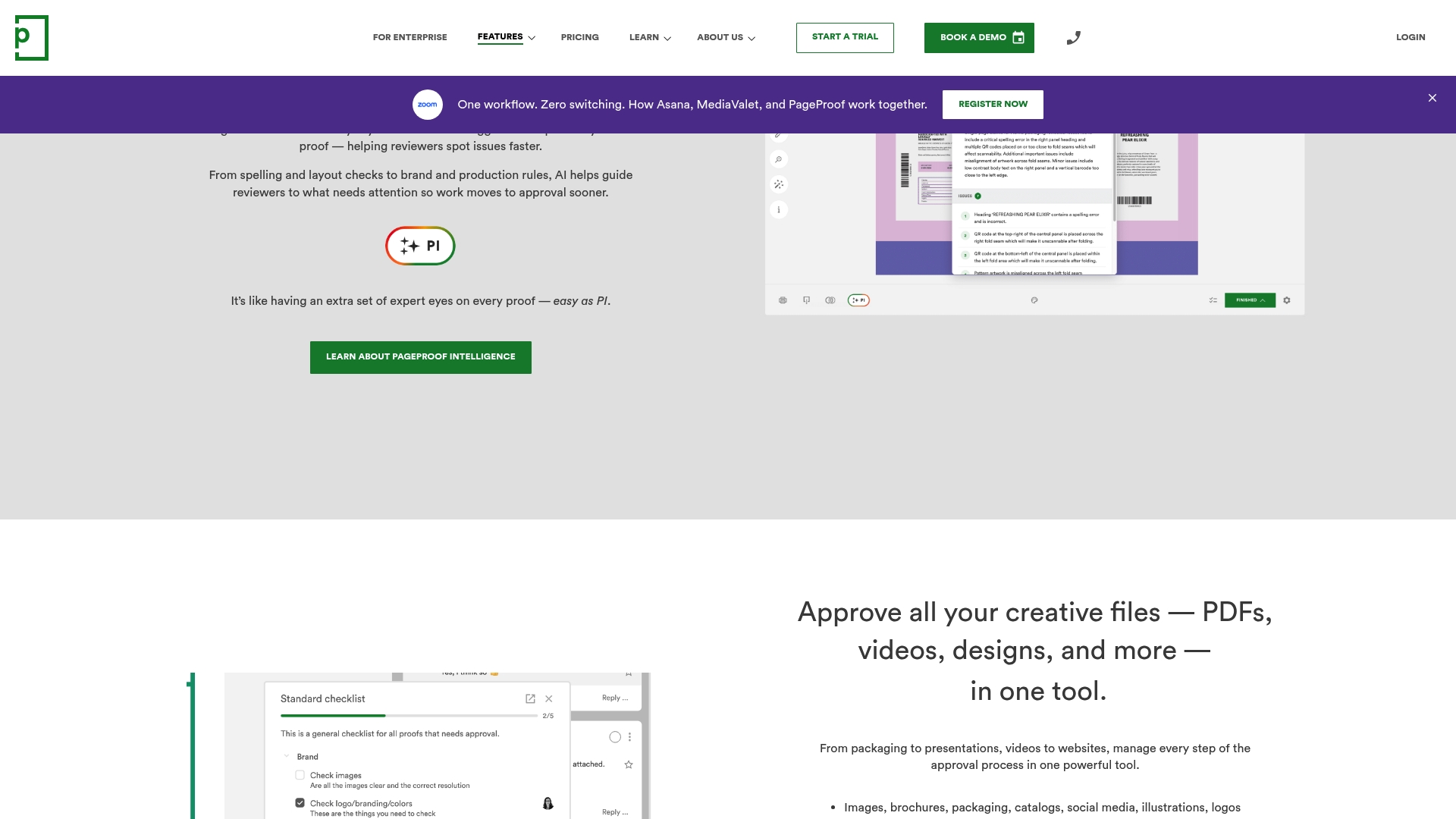
PageProof combines unlimited proofs and broad file support with automated workflows and reminders for review rounds. Advanced proofing tools include version comparison, color separation preview, barcode scanning, and link checks that catch common production issues. The platform also supports video and web content alongside design files such as Adobe PSD, AI, and Figma prototypes.
Key Differentiator
PageProof's standout feature is its AI-powered markup suggestions that analyze creative files and point out likely issues. The AI flags problems and suggests inline comments so reviewers spend less time describing errors. That automation reduces back-and-forth on routine errors and focuses reviewers on higher-value feedback.
Pros
PageProof delivers a clear review workspace that helps teams centralize comments and approvals. PageProof states ISO 27001 certification, and it offers encryption and enterprise controls for organizations with compliance needs. The vendor advertises high G2 ratings, and the product pairs customer support and learning resources with flexible enterprise plans.
Cons
- Limited folder organization can make managing hundreds of proofs awkward for large programs.
- Advanced features carry a steeper learning curve and often require dedicated onboarding time.
- Users report occasional lag or interface freezes when working with very large files or complex workflows.
- Some reviewers find intricate workflow configurations hard to read and adjust without support.
When It May Not Fit
PageProof may not suit teams that rely on deep nested folder hierarchies to organize tens of thousands of proofs. Teams that need fast handling of extremely large raw video files could hit performance limits. Small crews that prefer out-of-the-box simplicity may find the advanced configuration options heavier than they need.
Notable Integrations
Adobe Creative Cloud, Figma, Canva, Asana, Monday.com, Trello, Slack, and Microsoft Teams.
Who It's For
Designers, marketing teams, and creative project managers who proof visual, video, and document assets across channels. Agencies that need client review and version control will benefit from the annotation and comparison tools. Enterprises requiring data residency and single sign-on support will find the security options relevant.
Real World Use Case
A global marketing agency uses PageProof to route video drafts and digital ads to regional reviewers. Automated reminders reduce missed review windows and speed approvals across time zones. The platform's version comparison and link scanning help reduce production errors before handoff to publishers.
Pricing
The Team plan starts at $2,499/year and includes unlimited proofs and storage. Team Plus and Enterprise tiers are available on request and can include data residency and custom integrations. Larger organizations should contact sales for tailored pricing and deployment details.
Website: https://pageproof.com
StreamWork
At a Glance
StreamWork reports a global brand reduced review cycle times by 30% after adopting its automated workflows. That case highlights the platform’s focus on high-volume enterprise approval needs. The example points to measurable gains when teams use its AI routing and version controls together.
Core Features
StreamWork combines AI-assisted approval flows with multi-stage routing and deadline reminders to move proofs through review stages. A central asset library stores versions and an audit trail so teams can track changes and revert when needed. The product also includes inline markup and annotation tools plus sharing links for reviewers.
Key Differentiator
StreamWork is built specifically for modern enterprise creative teams rather than retrofitted from older systems. It pairs AI-enabled routing with native connections to project tools so approvals follow existing agency or in-house processes. That orientation favors organizations with structured review gates and many simultaneous projects.
Pros
The user interface is clean and keeps the most common actions visible, which shortens the learning curve for designers and producers. Integrations with project management apps make handoffs smoother and reduce back-and-forth email. Centralized proofing and explicit version history cut down on miscommunication and repeated rework.
Cons
- None reported in third-party reviews.
- Features are not obscured or limited for enterprise use.
- No mention of significant limitations from reviews.
Notable Integrations
StreamWork connects with a wide set of creative and project tools. Key links include Slack, Adobe Creative Cloud, and Figma for design handoffs. Additional connections listed are Monday.com, Asana, Dropbox, and Box to cover storage and task management needs.
Who It's For
This product fits enterprise creative teams, mid to large marketing agencies, and in-house studios that manage many concurrent campaigns. Choose StreamWork if your team needs formal approval gates, version audits, and project tool alignment. Smaller teams with minimal process needs may find the feature set larger than required.
Real World Use Case
A global brand used StreamWork to coordinate internal stakeholders and external agencies across regions. The vendor reports the brand cut review time by the percentage above through automated routing and tighter project management links. That reduction freed producer hours previously spent chasing approvals.
Pricing
Pricing is listed as informational only. Public, tiered pricing details are not provided on the vendor site and require contacting the vendor for a quote.
Website: https://streamwork.com
Comparison of Alternatives
Pixel-anchored comments and hassle-free guest access make Pinhub the strongest recommendation for teams focused on precise and rapid visual feedback. However, competitors like PageProof and Ziflow excel in other dimensions critical to specialized workflows.
Where Multimedia Support Excels
PageProof leads in multimedia handling, offering native review functionality for videos, web assets, and advanced creative files. The availability of link checks, barcode scanning, and color tools ensures thorough validation of complex outputs. For teams engaging in multimedia-heavy campaigns, these features present a significant advantage and justify its pricing.
Enterprise Workflow and Compliance Leadership
Ziflow targets large, regulated organizations with features such as compliance audits, strict access controls, and automated workflows. Enterprise teams managing brand consistency and legal governance gain substantial advantages, particularly when handling high volumes of proofs in global settings.
Best Fit
- Teams who prioritize visual asset review and require precise pixel-specific feedback should choose Pinhub. Its clear annotations and discussion threads enable effective collaboration without requiring external users to create accounts.
- Enterprises that prioritize compliance, governance, and efficient routing of high volumes find Ziflow more suitable, as its automated workflows ensure consistency and adherence to policies.
- Agencies or teams that manage campaigns involving extensive multimedia content benefit from PageProof's asset validation capabilities, such as video proofing and advanced scanning tools.
Our Pick
The unique capability of Pinhub lies in its ease of use for external reviewers combined with workspace-based pricing. Guest reviewers can comment without sign-ups, eliminating friction and enhancing collaboration accuracy. Pinhub's offering shines for design workflows needing pixel-focused comments, predictable costs, and client-friendly interfaces.
Considering pixel-accurate feedback, integration options, and overall value, here's a comparison of leading online proofing tools:
| Product | Core Feature | Key Differentiator | Pricing | Limitation |
|---|---|---|---|---|
| Usepinhub | Pin-based comments, guest feedback, version control | Pixel-accurate threaded discussions without accounts | Free plan, Pro: $19/mo, Team: $39/mo | Limited integrations beyond Figma |
| Ziflow | Automated workflows, version compare | Enterprise security certifications, audit trails | Price not published | Steep learning curve for new users |
| PageProof | Version comparison, unlimited proofs | AI-powered markup suggestions for issue detection | $2,499/year (Team plan) | Limited folder organization for many projects |
| StreamWork | AI-assisted approval flows, central asset library | Modern enterprise focus, tool integrations | Price not published | Features may exceed requirements for small teams |
How Can Precise Feedback Improve Your Online Proofing Tool Experience?
Online proofing tools often struggle with vague comments that slow down project progress. Usepinhub solves this by letting designers, product managers, and remote teams pin comments exactly where they apply on screenshots. This pixel-anchored feedback keeps discussions clear and avoids confusion during review cycles.
Using Usepinhub means you get threaded replies, version control, and guest access without account creation. These features help marketing agencies and product design teams accelerate iteration with less friction. Explore how pinned comments and AI-generated summaries can cut review time.
Take control of your feedback process today with Usepinhub. Visit the site to upload your first screenshot and see how precise feedback leads to clearer project outcomes.
FAQ
How does Usepinhub support guest access for reviewers?
Usepinhub allows guest reviewers to leave pinned comments without creating accounts. This feature ensures that feedback is anchored to exact image pixels, referring to a single UI element for clarity. You can easily share links with clients and contractors, reducing barriers for feedback submission.
What is the difference between Ziflow and Usepinhub in terms of security features?
Ziflow is known for its enterprise-scale automation and security, particularly with highly configurable workflows for regulated organizations. In contrast, Usepinhub offers a more straightforward approach with pixel-accurate feedback, making it better suited for teams focused on design and quick reviews. Consider Usepinhub if you need a tool for precise visual asset feedback without the complexities required for large enterprise setups.
Which platform offers better pricing for agencies with multiple reviewers?
Usepinhub features a workspace-based flat pricing model that makes budgeting predictable for agencies running many short reviews. With plans starting at $19/month for the Pro plan, it provides an affordable solution for those needing unlimited screenshots and guest access. Agencies can ensure they control costs while including clients as guest reviewers without extra fees.
Can I use Usepinhub for large teams managing visual assets?
Usepinhub is ideal for designers and product managers needing pixel-accurate, image-anchored feedback from multiple team members or clients. Its features, such as AI summaries of feedback and version control, support streamlined collaboration even in large team settings, ensuring effective asset management.
What advantage does Usepinhub have for design feedback cycles?
Usepinhub accelerates design feedback cycles through its pin-based comment system, which connects feedback directly to specific areas of an image. This precision reduces the chance of miscommunication and enhances clarity, allowing teams to focus on resolving issues quickly and efficiently.