
Treat non-technical client feedback as a complementary attitudinal signal, not raw product direction, and run every comment through a short translation workflow before it lands in your backlog. Here's the immediate checklist: capture the client's exact words, ask one clarifying question, then convert the comment into a measurable acceptance criterion or user story.
- Capture verbatim (don't paraphrase yet)
- Ask one clarifying question ("What were you expecting to see instead?")
- Convert to a testable requirement with an owner and priority
A client saying "the dashboard feels cluttered" becomes: "Reduce visible widgets on the main dashboard from 12 to 6 by default, with an option to expand. Acceptance criteria: first-time load shows 6 modules; user can add more via a toggle." That's the whole game, repeated consistently.
Key Takeaways
Non-technical client feedback works best when teams treat it as an attitudinal signal, translate it through a fixed template, and validate it against behavioral data before building anything.
| Point | Details |
|---|---|
| Capture verbatim first | Log the client's exact words before summarizing; the original phrasing helps you prioritize and explain fixes later. |
| Keep surveys short | Limit client surveys to three to five questions to protect completion rates. |
| Translate before you build | Use the quote → diagnosis → acceptance criterion template to turn vague comments into testable requirements. |
| Triangulate with behavior | Pair client comments with session recordings or support transcripts before committing to a redesign. |
| Use a visual, pixel-anchored tool | Pinhub lets clients pin comments to exact screen locations and lets guests review without an account, reducing vague feedback at the source. |
Table of Contents
- Why Non-Technical Client Feedback Matters More Than You Think
- How Do You Collect Clear Feedback From Non-Technical Clients?
- How Do You Translate Vague Feedback Into Technical Requirements?
- What Mistakes Teams Make With Non-Technical Feedback?
- Which Tools Help You Capture Non-Technical Feedback?
- Real Scenarios: Turning Client Comments Into Product Wins
- How Do You Measure the Impact of Acting on Feedback?
- What Changed When Our Process Added a Translation Step
- A Simple Way to Try This With Pinhub
- Sources
- FAQ
Why Non-Technical Client Feedback Matters More Than You Think
Behavioral analytics tell you what happened. Non-technical client feedback tells you why it happened, and what the client actually expected instead. Those are different jobs, and product teams that only watch dashboards miss the second one entirely.
Feedback from non-technical stakeholders reveals perception, unmet expectations, and trust gaps that click-through rates never surface. A client might not know why a workflow feels slow, but they'll tell you it "feels like pulling teeth," and that phrase is more diagnostic than a three-second load time metric on its own. This kind of open-ended input typically comes from a self-selected group of respondents, so treat it as an attitudinal signal that complements, rather than replaces, behavioral data. The strongest UX measurement approaches group signals into behavioral, attitudinal, and outcome-linked lenses, using behavior to diagnose a problem and attitude to confirm it's real.
Non-technical clients also tend to surface business-context problems, messaging that confuses, expectations that weren't set, outcomes that didn't match the pitch, rather than UI bugs. Both matter. The trick is knowing which one you're looking at.
Pro Tip: Always log the client's original phrasing before you translate it. Their exact words are often the fastest way to prioritize a fix and explain it to stakeholders who weren't in the room.
How Do You Collect Clear Feedback From Non-Technical Clients?
Timing changes what you get. Ask for feedback right after a milestone, a demo, a delivery, a go-live, while the experience is fresh. Wait two weeks and you'll get vague impressions instead of specific recall.
Certain formats work better than open-ended surveys for people without technical vocabulary: short guided surveys, brief phone or video interviews, screenshot-anchored comments, and simple forms with an example answer already filled in.
- Prepare context before you ask (remind them what they saw, when).
- Lead with a goal-first question: "Did this help you do X?" not "What do you think?"
- Use single-idea prompts, one question, one topic, never a compound ask.
- Limit open text to one to three targeted prompts.
- Offer a visual anchor, a screenshot, a screen recording, a specific screen name.
Keep the survey itself short. Client satisfaction surveys perform best at three to five questions or under five minutes, and completion rates drop sharply past that. Invitation method matters just as much: a personalized note from the relationship owner draws a substantial response rate notably higher than a generic blast, according to the same client survey research.
Different contexts need different question sets. For a design review: "Which part of this screen would you look at first?" For a feature demo: "What would you tell a colleague this feature does?" For a support resolution: "Did this fully solve what you reported, or just part of it?"
Pro Tip: Show one example of a helpful answer inside the survey itself. A single model answer cuts vague, one-word responses dramatically because people mirror the format they're shown.
How Do You Translate Vague Feedback Into Technical Requirements?
Most vague comments are diagnosable if you run them through a fixed template: original quote, what it likely means, a measurable acceptance criterion, then a priority and owner.
Take a real example. A client writes: "The onboarding felt confusing, I wasn't sure what to do first." Diagnosis: no clear primary action on the first screen. Acceptance criterion: the onboarding screen highlights exactly one primary call-to-action, and a usability check confirms new users identify it within five seconds. Owner: onboarding UX lead. Priority: high, since it blocks activation.
Vague design feedback tends to fall into three buckets: a vague reaction, a taste-based preference, or an emotionally reactive comment. A four-part structure, naming the goal, the element, the effect, and a direction for change, turns any of the three into something engineers can act on.
Before you write the ticket, check whether the comment is actually a requirement or just a preference:
- Mentions a task the client couldn't complete → likely a real requirement
- Mentions a color, font, or "feel" with no task attached → likely taste, log separately
- Repeats across multiple clients independently → escalate immediately
- Comes from one person, one time, with strong emotional language → note it, don't act on it alone
What Mistakes Teams Make With Non-Technical Feedback?
The biggest mistake is treating one comment as if it represents every client. A single frustrated email doesn't justify a redesign, though it might justify a follow-up question.
Other recurring pitfalls: converting a taste-based comment ("I don't love the blue") directly into a spec change, over-indexing on emotionally charged language while ignoring quieter but more common complaints, survey fatigue from asking too often, and losing the original context once a comment gets summarized three times by three different people.
Watch for these red flags before you act:
- Vague language with no task attached ("it feels off")
- A stated preference disguised as a requirement
- Scope creep, where one small comment balloons into a feature request
The fix is triangulation. Pair the comment with a behavioral check, session recordings or support transcripts work well here, since qualitative sources like these are highly diagnostic when read alongside what the client actually said. Score anything that survives that check with a simple rubric: impact times frequency times effort. Anything low on all three stays in the backlog, untouched.
Which Tools Help You Capture Non-Technical Feedback?
The tools that work best remove friction rather than adding a form to fill out. Four types cover most situations: pixel-anchored visual feedback tools, in-app micro-surveys, short scheduled interviews, and aggregated support transcripts.

A reliable workflow looks like this: capture the comment where it happens, translate it using the four-part structure above, tag it by theme, prioritize with the impact-frequency-effort rubric, assign an owner, then close the loop with the client. Visual feedback tools handle capture and translation together, since a comment pinned directly to a screen element removes the "which button do you mean?" back-and-forth entirely. Pixel-anchored feedback tools also let guest reviewers pin comments without creating an account, which matters because non-technical clients rarely want to register for one more platform just to leave a note on a mockup.
That guest-access detail solves a real adoption problem: every extra login screen between a client and their comment is a chance for the feedback to never happen at all. A tool like Pinhub can plug directly into this capture-to-close workflow, pinning comments to exact screen locations so the translation step in the previous section has almost nothing left to guess at.
Real Scenarios: Turning Client Comments Into Product Wins
Design clarity. A client said a settings page "felt like it was hiding things." The team translated that into: group settings into three labeled sections instead of one long list. Support tickets about "where do I find X" dropped afterward.
Onboarding confusion. A client said new hires "didn't know what to click first." The fix: one highlighted primary action on the first screen. Sign-up completion improved.
Reporting expectations. A client expected weekly summaries but got monthly ones, an expectations gap, not a bug. The team added a scheduling option and confirmed it with a follow-up call before building anything else.
In each case, the team checked behavioral data before committing to a redesign, which avoided fixing something that wasn't actually broken.
- Original comment → diagnosis → acceptance criterion → measured impact
- Pair every comment with one behavioral signal before you build
How Do You Measure the Impact of Acting on Feedback?
A workable measurement stack has three layers: behavioral (task success, funnel completion), attitudinal (CSAT, a single post-interaction question), and outcome (support ticket volume, churn risk, conversion lift).
Instrument each layer simply. Task success can come from a funnel report you already have. Attitudinal data can be one question sent right after a milestone. Outcome metrics show up in your support queue and renewal data without extra tooling. Score every proposed fix with the same rubric used earlier, impact times frequency times confidence, so decisions stay consistent across the team.
- Weekly: triage new signals as they arrive
- Monthly: review which fixes actually moved a metric
- After every change: confirm the original comment stopped recurring
Teams that narrow their dashboard to a small set of core metrics tied directly to decisions avoid the noise that comes from tracking everything and acting on nothing.
What Changed When Our Process Added a Translation Step
Adding a short translation template and a weekly triage meeting slowed down intake by a day or two, but it cut rework substantially. Before, a vague comment would get built, reviewed, and rebuilt once someone finally asked what the client meant. Now that question gets asked upfront.
The tradeoff is real: a translation step adds a touchpoint, and some clients want instant validation rather than a clarifying question back. Structured intake trades a bit of client convenience for requirements that don't need three rounds of guessing.
If you're skeptical, run a two-week pilot. Pick one metric, revision count or reopened tickets work well, and compare before and after. Most teams find the extra five minutes per comment pays for itself within the first sprint.
A Simple Way to Try This With Pinhub
The workflow described above, capture, translate, prioritize, close the loop, breaks down fastest at the capture step, when a client's comment arrives disconnected from the exact screen or element they meant. Pinhub was built to close that gap directly: clients pin comments onto the exact pixel of a screenshot or Figma design instead of describing a location in words.

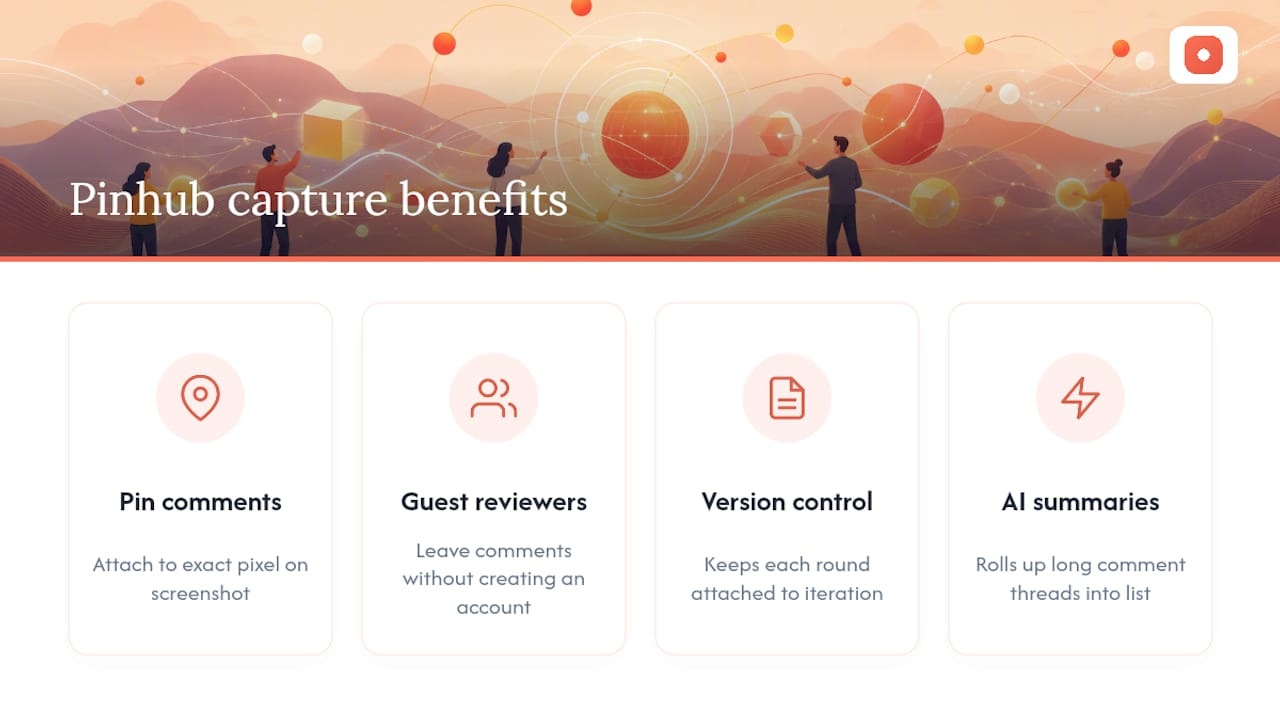
That precision changes the translation step covered earlier. Instead of guessing which "cluttered" section a client meant, you see the pinned comment sitting on the exact widget. Guest reviewers can leave that comment without creating an account, version control keeps every round of feedback attached to the right design iteration, and AI-generated summaries roll up long comment threads into a short list your team can actually triage on a Monday morning.
A practical next step: invite two or three key stakeholders to a guided review session using a shareable guest link on your next design draft, no signup required on their end. Watch how many of their comments arrive already anchored to a specific element instead of a vague paragraph in an email. You can start a workspace on Pinhub and run that session this week.
Sources
For deeper reading on the methods behind this playbook, the NN/g breakdown of UX research methods explains when qualitative feedback fits best, and the SigOS guide to UX metrics covers building a focused measurement stack.
For the business case behind acting on client input quickly, see how customer feedback programs connect to revenue growth. For hands-on workflow patterns, Pinhub's guide to feedback for website design covers forms, widgets, and screenshot-based collection in more depth.
- Which UX Research Methods? (NN/g)
- Client Satisfaction Survey: Definition, Importance, and Best Practices
- User Experience Metrics: A 2026 Guide to Growth | SigOS Blog
- How to Measure User Experience in 2026: Friction-First UX Metrics
- Good Design Feedback Doesn't Sound Like "Make It Pop" (Here's What It Does Sound Like) - Nicole Steffen Design
FAQ
What are examples of non-technical skills useful for reading client feedback?
Active listening, plain-language questioning, empathy mapping, and structured note-taking all help teams interpret feedback from stakeholders without a technical background.
Can you give an example of client feedback and its translation?
A client saying "the checkout feels slow" translates to: reduce checkout steps from five to three, with an acceptance criterion that most test users complete checkout in under 60 seconds.
How do you explain a technical problem to a non-technical client?
Skip the mechanism and lead with the outcome: instead of describing a caching issue, say what the client will notice, "pages will load faster starting next week," and only add technical detail if they ask.
What are the four types of feedback?
Feedback is often grouped as behavioral (what users do), attitudinal (what users say), outcome-linked (business impact like churn or conversion), and qualitative-diagnostic (support transcripts and session recordings). A balanced review pulls from all four before prioritizing a fix.
How does Pinhub help with non-technical client feedback specifically?
Pinhub lets clients pin comments directly onto a screenshot or Figma design, removing the ambiguity of written descriptions, and its guest reviewer mode means non-technical stakeholders can respond without creating an account.