
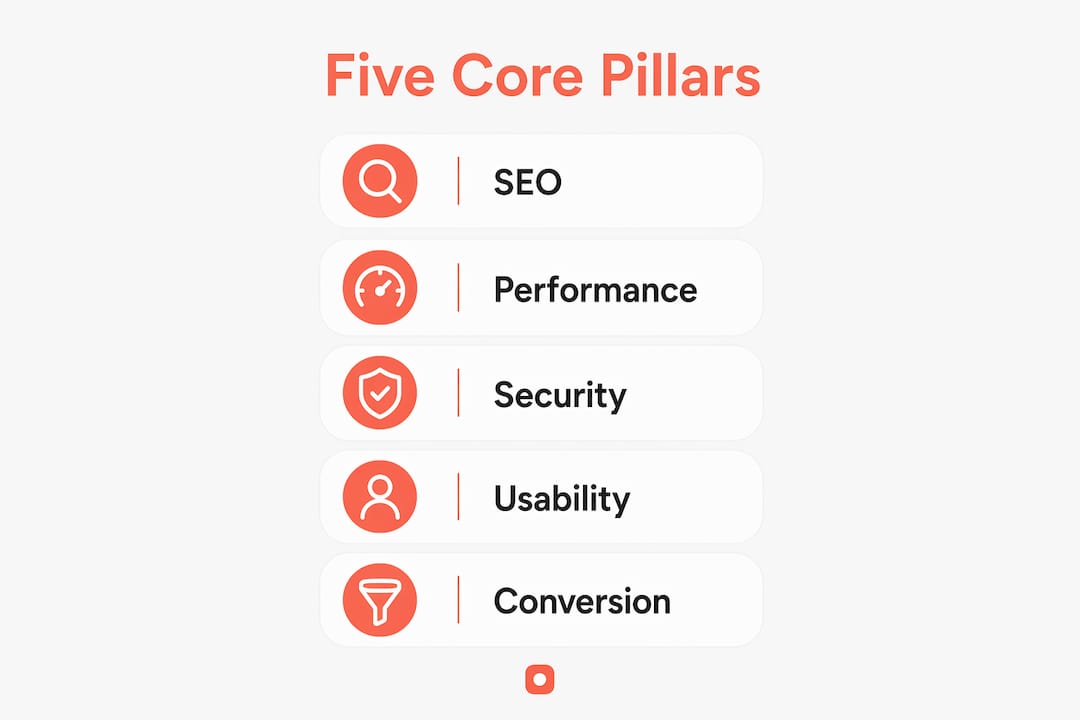
A thorough website review is a systematic evaluation of every layer that determines whether a site works: its technical health, design clarity, content accuracy, and ability to convert visitors into customers. Done well, it covers five core pillars: SEO, performance, security, usability, and conversion. Regular audits uncover hidden issues like slow load times, broken links, and missed SEO opportunities before they cost you traffic or revenue.
Before you start, get clear on scope. A full audit looks at everything; a targeted check focuses on one or two pillars. Either way, the review should be mobile-first, since mobile accounts for the majority of global browsing. Here is what a complete review covers:
- SEO: crawlability, indexing, on-page elements
- Performance: Core Web Vitals, load speed, stability
- Security: SSL certificate, HTTPS configuration
- Usability: mobile responsiveness, navigation, accessibility
- Conversion: CTA clarity, value proposition, trust signals
Usepinhub's pixel-anchored feedback keeps design reviews precise. Instead of vague comments like "fix the header," reviewers pin notes directly on the exact screen location in question, cutting ambiguity from the start.
Table of Contents
- How to define your review goals before you start
- The five core pillars every website review should cover
- How review phases and workflows keep teams on track
- Best practices for visual feedback during a website review
- Common mistakes that derail a website review
- Which tools support a thorough website review
- How teams can collaborate more effectively during reviews
- Content quality checklist for your review
- How to evaluate accessibility during a website review
- Reporting and documenting your review findings
- How to prioritize issues after a website review
- Key Takeaways
- FAQ
How to define your review goals before you start
Defining the review goal before starting is the single most important step. Without it, teams end up with scattered feedback that does not connect to any business outcome.
Different goals pull the review in different directions. An SEO-focused audit prioritizes crawlability and on-page structure. A conversion audit zeroes in on CTAs, landing page copy, and form usability. A design consistency check focuses on visual hierarchy and brand alignment. Mixing all three without a plan produces noise.
Goal-setting tips to align your team upfront:
- Write the primary goal in one sentence before opening any tool
- Identify which stakeholders need to sign off and what they care about
- Decide whether you are doing a full audit or a targeted check
- Document scope in a shared brief so everyone reviews the same thing
- Set a deadline for each review phase to keep momentum
The five core pillars every website review should cover
Website audits should cover SEO, performance, security, usability, and conversion as recurring checkpoints, not one-time tasks.
- SEO: Check that pages are crawlable and indexed in Google Search Console. Look for missing title tags, duplicate meta descriptions, and broken internal links. For B2B sites, a technical SEO checklist helps you catch crawl-blocking issues specific to complex site architectures.
- Performance: Core Web Vitals are the benchmark. Core Web Vitals including largest contentful paint, cumulative layout shift, and interaction to next paint are key benchmarks for website performance. Use Google PageSpeed Insights to identify what is dragging scores down.
- Security: Confirm the SSL certificate is valid and HTTPS is enforced across all pages. An expired or misconfigured certificate triggers browser warnings that kill trust instantly.
- Usability: Test on an actual mobile device, not just a browser emulator. Check touch target sizes, font readability, and navigation flow. Mobile-first testing catches usability and conversion leaks that desktop-only reviews miss entirely.
- Conversion: Within five seconds of landing, a visitor should know what the site offers, who it is for, and what to do next. Audit CTA placement, value proposition clarity, and social proof visibility.
Pro Tip: Use Usepinhub's threaded comments to keep feedback organized by pillar. Pin a comment to a specific CTA button and start a thread there, rather than writing a general note in a shared doc. This keeps context intact and makes it easier to track resolution.
How review phases and workflows keep teams on track
Professional teams execute audits in phases: automated technical scans first, then manual UX and content evaluation, then prioritized reporting.
| Phase | Activities | Tools | Outcome |
|---|---|---|---|
| Automated scan | Crawl errors, broken links, Core Web Vitals | Google Search Console, PageSpeed Insights | Issue log with severity flags |
| Manual UX review | Navigation, mobile usability, content clarity | Browser, Usepinhub, accessibility checkers | Annotated screenshots with pinned feedback |
| Content evaluation | Accuracy, freshness, tone, structure | Editorial checklist, GA4 engagement data | Content update or removal list |
| Prioritization | Rank issues by business impact | Shared tracker, Usepinhub AI summaries | Ordered fix list for development |
| Reporting | Summarize findings for stakeholders | Usepinhub, shared docs | Actionable report with clear next steps |
Remote teams benefit most from visual feedback platforms with guest access. Clients and non-technical stakeholders can review annotated screenshots and add comments without creating an account, which removes the friction that usually delays sign-off. AI-generated summary lists and version control within Usepinhub reduce the manual work of compiling findings after each phase.
Best practices for visual feedback during a website review
Anchoring feedback to precise screen locations prevents the vague comments that slow iteration cycles. "The button looks off" tells a developer nothing. A pin on the exact button with a note saying "increase tap target to 44px minimum, currently too small on mobile" tells them everything.
- Pin comments to the exact element in question, not the general page area
- Use threaded discussions to keep related feedback in one place rather than scattered across emails
- Enable guest reviewers so clients can participate without account setup
- Resolve comment threads as checklists to track which issues are fixed and which are still open
- Organize screenshots and designs in folders by version so the team can compare iterations
- Use AI-generated summaries to compile feedback highlights before stakeholder meetings
For a deeper look at annotating websites for team collaboration, Usepinhub's blog covers the workflow in detail.
Common mistakes that derail a website review
- Skipping goal definition: Reviews without a stated objective produce feedback that no one knows how to act on. Failing to link feedback to clear goals breeds project delays.
- Testing desktop only: A site that looks polished on a 27-inch monitor can be unusable on a phone. Always test on real mobile devices.
- Vague, unanchored feedback: Comments like "make it cleaner" without a specific reference point create confusion and back-and-forth that wastes everyone's time.
- Treating all issues as equal: Not every finding deserves immediate attention. Trying to fix everything at once stalls progress on what actually matters.
- Scattered feedback channels: When comments live in emails, Slack threads, and sticky notes simultaneously, things get lost. Centralize feedback in one platform.
- No connection to business outcomes: A review that flags 40 issues but does not rank them by revenue or user impact leaves teams guessing where to start.
Which tools support a thorough website review
The right tools depend on the pillar you are evaluating. Free tools cover most of the ground for smaller teams.
Technical and SEO: Google Search Console for indexing and crawl errors, Google PageSpeed Insights for Core Web Vitals, and Screaming Frog (free up to 500 URLs) for on-page SEO crawling.
Accessibility: WAVE and axe are both free browser-based checkers that flag WCAG 2.1 AA violations without requiring a paid subscription.

Visual feedback and collaboration: Usepinhub handles screenshot uploads, pixel-anchored comments, threaded discussions, version control, and AI summaries in one workspace. Guest reviewers can participate without accounts, which matters when you are coordinating with clients or external stakeholders.
Analytics: Google Analytics 4 surfaces engagement data that reveals which pages users abandon quickly, pointing you toward content or UX problems worth investigating.
How teams can collaborate more effectively during reviews
Iterative conversations using threaded comments build shared understanding between designers, developers, and clients faster than any status meeting. The key is structure: assign each reviewer a specific pillar or page set so coverage does not overlap or leave gaps.
Synchronous review sessions work well for alignment calls, but the actual annotation work is faster asynchronous. Reviewers can work in their own time zones, pin feedback directly to the design, and respond to existing threads without scheduling conflicts. For agencies managing multiple clients, Usepinhub's folder organization keeps each project's feedback separate and version-tracked.
Learn more about evaluating website design as part of a structured collaborative process.
Content quality checklist for your review
Content evaluation is often the most time-consuming phase, but it is also where teams find the most impactful fixes.
- Is every page's headline specific and aligned with what the page actually delivers?
- Are publication or update dates visible on time-sensitive content?
- Does the copy answer a real user question, or is it marketing language with no substance?
- Are there spelling or grammatical errors that undermine credibility?
- Is the reading level appropriate for the intended audience?
- Are sources cited where claims require verification?
- Does each page have a clear next step for the reader?
How to evaluate accessibility during a website review
Accessibility evaluation starts with automated tools but cannot end there. WAVE and axe catch missing alt text, low color contrast, and unlabeled form fields quickly. Manual checks fill the gaps. Common accessibility oversights include keyboard navigation failures and missing ARIA landmarks that automated tools sometimes miss.
WCAG 2.1 AA is the practical standard for most U.S. websites. Key checks: all images have descriptive alt text, buttons are keyboard-focusable with visible focus states, color contrast meets a 4.5:1 ratio for body text, and forms have visible labels rather than placeholder-only text.
Reporting and documenting your review findings
A review report is only useful if stakeholders can act on it. Structure findings by pillar, include a severity rating for each issue (critical, moderate, minor), and attach the annotated screenshot or direct link to the relevant Usepinhub thread. This gives developers the exact context they need without a follow-up meeting.
Keep the report in a shared, version-controlled location. When fixes are implemented, mark issues as resolved in the same document so the team can track progress over time.
How to prioritize issues after a website review
Prioritizing audit findings by business impact and addressing blockers first maintains momentum. A crawl error that prevents indexing outranks a minor typography inconsistency every time.
A practical prioritization order: fix anything blocking search engine indexing first, then address Core Web Vitals failures, then usability issues that affect conversion, then content gaps, and finally cosmetic or minor design inconsistencies. For teams using a pre-launch QA checklist, this same hierarchy applies before any major site update goes live.

Ready to run a cleaner, faster website review? Usepinhub gives your team pixel-anchored feedback, threaded discussions, guest reviewer access, and AI summaries in one place. Start your first review and see how much faster feedback cycles move when every comment has a precise location.
Key Takeaways
A systematic website review covers SEO, performance, security, usability, and conversion, with clear goals set before any tool is opened and findings prioritized by business impact.
| Point | Details |
|---|---|
| Set goals first | Define the review objective in one sentence before starting to keep feedback focused and connected to outcomes. |
| Cover all five pillars | SEO, performance, security, usability, and conversion each require specific checks and tools. |
| Test mobile first | Desktop-only reviews miss usability and conversion issues that only appear on small touch screens. |
| Anchor every comment | Pinning feedback to exact screen locations eliminates vague notes and speeds resolution. |
| Prioritize by impact | Fix indexing blockers and Core Web Vitals failures before addressing cosmetic or minor issues. |
FAQ
What does a website review actually cover?
A website review evaluates SEO, performance, security, usability, and conversion, along with content quality and accessibility, to identify issues before they affect traffic or revenue.
How often should you review a website?
A full review quarterly is the standard for most businesses, with a lighter monthly check of Search Console, performance, and conversion metrics to catch issues faster.
What is the best free tool for reviewing a website?
Google Search Console covers crawlability and indexing, PageSpeed Insights handles Core Web Vitals, and WAVE checks accessibility, all at no cost.
How do remote teams manage website review feedback effectively?
Using a visual feedback platform like Usepinhub, teams pin comments to specific screen locations, use threaded discussions, and allow guest reviewers to participate without accounts, keeping all feedback in one traceable place.
What should you fix first after a website review?
Address anything blocking search engine indexing first, then Core Web Vitals failures, then usability issues that affect conversion, following a business-impact prioritization order.