
TL;DR:
- Web design project management structures tasks by combining methodologies like Waterfall, Agile, and Kanban to improve predictability. It emphasizes clear goals, milestone gates, and controlled scope changes to prevent delays and budget overruns. Consistent communication and centralized feedback are essential for delivering websites on time and within scope.
Web design project management is the structured process of coordinating design, development, and stakeholder collaboration to deliver functional, goal-driven websites on time and within scope. Without a defined process, even experienced teams fall into the same traps: missed deadlines, vague feedback, and scope creep that quietly doubles the original budget. The discipline draws on established frameworks like Agile, Kanban, and Waterfall, and it requires clear milestones, formal approval gates, and consistent communication rhythms. Teams that treat website project management as a system rather than a loose collection of tasks consistently deliver better outcomes.
What are effective methodologies for managing web design projects?

Hybrid delivery models combining Waterfall for structured requirements and Agile or Kanban for iterative phases give web teams both flexibility and control. No single methodology fits every project. The right choice depends on client expectations, team size, and how well-defined the requirements are at the start.
Waterfall works best for the early, stable phases of a project. Discovery, stakeholder alignment, and design approval all benefit from a linear sequence where each phase must be signed off before the next begins. This structure protects teams from starting development on a design the client has not formally approved.
Agile and Kanban are better suited for development and content sprints, where requirements shift and feedback loops are short. Agile breaks work into two-week sprints with defined deliverables. Kanban visualizes work in progress and limits how many tasks run simultaneously, which prevents bottlenecks in development queues.
The most effective approach for most web projects is a hybrid model:
- Use Waterfall governance gates for discovery, scope sign-off, and design approval
- Switch to Agile sprints for front-end and back-end development
- Apply Kanban boards to content production and QA cycles
- Return to Waterfall-style sign-offs at staging and pre-launch
Pro Tip: Label your governance gates clearly in your project plan. A gate labeled "Design Approved" with a named approver and a deadline carries far more weight than a vague "review" task.
This hybrid structure is not just theoretical. A 6-step planning framework built around this combination demonstrably improves predictability and reduces project chaos. Teams that commit to the model early spend less time renegotiating scope mid-project.
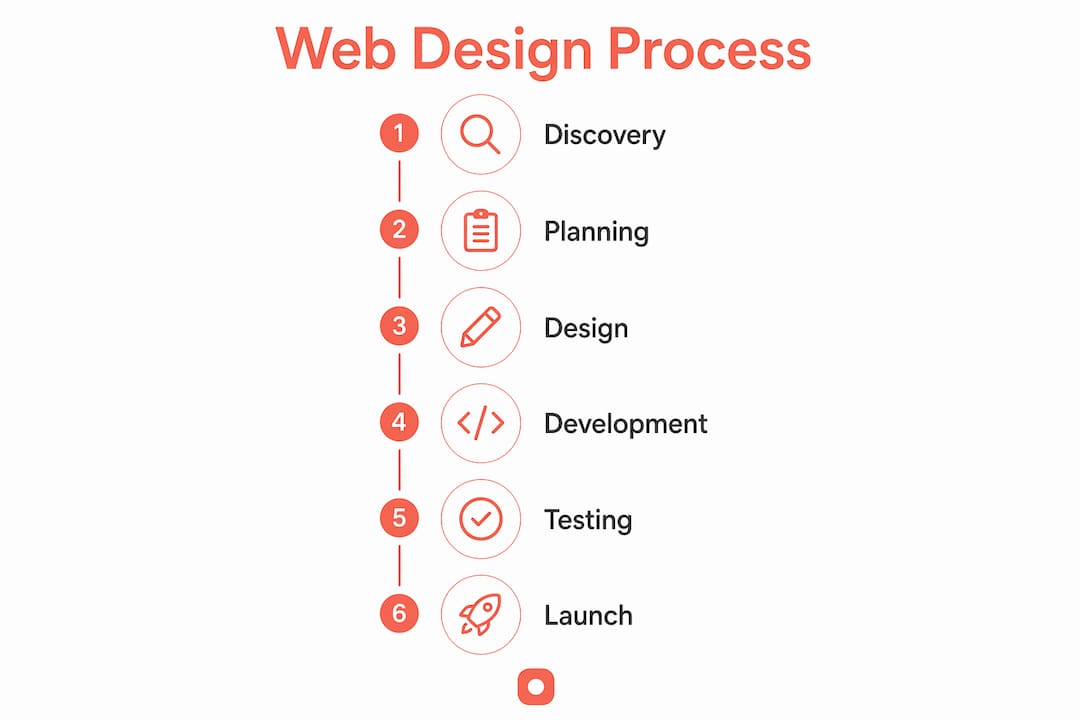
How to plan and structure a web design project for success
A website development project management plan starts with measurable goals, not visual references. Before any wireframe gets drawn, you need to know what success looks like in concrete terms: organic session targets, conversion rate benchmarks, or page speed thresholds. Vague goals produce vague briefs, and vague briefs produce misaligned designs.
Follow these six steps to build a plan that holds:
- Define measurable goals. Write goals in terms of outcomes, not outputs. "Increase demo requests by 20%" is a goal. "Build a new homepage" is a task.
- Map features with user stories. Describe each feature from the user's perspective. "As a returning visitor, I want to find pricing without scrolling past the fold." This format forces clarity on both function and priority.
- Break tasks into granular units. Large tasks like "build the contact page" hide complexity. Break them into design, copy, development, QA, and client review as separate line items.
- Estimate effort realistically. Use story points or hour ranges, not single-point estimates. Single-point estimates ignore variability and consistently underperform.
- Set milestones that act as health checks. Clickable prototypes and beta releases serve as natural checkpoints. They reveal misalignment early, when corrections are cheap.
- Assign roles with a RACI framework. RACI stands for Responsible, Accountable, Consulted, and Informed. Every task gets one owner. Without a RACI, tasks fall between team members and clients assume someone else is handling them.
The table below shows how each planning element maps to a project phase:
| Planning Element | Project Phase | Purpose |
|---|---|---|
| Measurable goals | Discovery | Align team and client on success criteria |
| User stories and feature map | Scoping | Visualize requirements before design begins |
| Granular task breakdown | Planning | Expose hidden complexity early |
| Effort estimates | Scheduling | Build realistic timelines with buffer |
| Milestones and review gates | Execution | Catch misalignment before it becomes rework |
| RACI assignments | Kickoff | Eliminate ambiguity over ownership |
Best practices for communication and collaboration in web design projects
Communication gaps cause project delays faster than technical issues do. This is the finding that most project managers underestimate. A team can recover from a broken API integration in a day. Recovering from three weeks of misaligned client expectations takes much longer.
Establish predictable communication rhythms from day one:
- Daily standups (15 minutes maximum): What did you complete? What are you working on today? What is blocking you?
- Weekly demos: Show working progress to clients and stakeholders, not just status updates. Seeing real work builds trust and surfaces feedback earlier.
- Mid-sprint reviews: Catch scope drift before it compounds. A 30-minute check at the midpoint of each sprint prevents surprises at delivery.
- Explicit approval gates: Set formal sign-off points at wireframes, visual design, staging, and pre-launch. Each gate requires a named approver and a written confirmation.
Centralizing feedback in a dedicated project hub prevents version control issues and the feedback chaos that email threads create. When feedback lives in email, it fragments across inboxes, gets lost in reply chains, and arrives without context. A central hub ties every comment to a specific screen, version, and date.
Pro Tip: Ban email as a feedback channel on day one of the project. State it in your kickoff document. Clients who send feedback by email should be redirected to your feedback tool with a one-line reply: "Please add this to the project board so we can track it properly."
Tools that annotate websites directly give teams a shared visual language. Instead of describing a layout problem in words, a team member pins a comment to the exact pixel. This removes ambiguity and cuts the back-and-forth that inflates revision cycles.
How to manage scope creep and maintain project control
Uncontrolled scope creep is the most common cause of project failure in web design. It rarely arrives as a dramatic demand. It arrives as a series of small, reasonable-sounding requests: "Can we add a blog?" "Can we make the header sticky?" "Can we include a live chat widget?" Each request seems minor. Together, they add weeks to the timeline and thousands to the budget.
The defense against scope creep is a formal change request process:
- Document every change request in writing, regardless of how small it seems.
- Assess time and budget impact before agreeing to any change. A formal impact evaluation for every client change request is the standard that separates controlled projects from chaotic ones.
- Maintain a public backlog. New requests go into the backlog, not directly into the active sprint. Stakeholders can see the full list and help prioritize.
- Flag budget variances early. A budget variance exceeding 10% requires immediate escalation. Waiting until the end of a phase to report overruns removes the client's ability to make informed decisions.
- Communicate trade-offs clearly. When a client adds a feature, show them what gets delayed or what gets cut. This is not a negotiation tactic. It is honest project management.
Explicit review gates at key milestones prevent costly late-stage rework. A design approved at the wireframe stage should not be redesigned at the development stage. Gates enforce this discipline by requiring written sign-off before the next phase begins.
Structured website design evaluation at each gate also catches quality issues before they reach the client. Internal review before external review is a simple habit that dramatically reduces the number of revision rounds.
Key Takeaways
Effective web design project management requires a hybrid methodology, a formal change control process, and centralized communication to deliver projects on time and within scope.
| Point | Details |
|---|---|
| Use a hybrid methodology | Combine Waterfall governance gates with Agile sprints to balance control and flexibility. |
| Plan with measurable goals | Define success in outcomes, not outputs, before any design work begins. |
| Centralize all feedback | Replace email threads with a dedicated hub to prevent version confusion and lost comments. |
| Enforce a change request process | Assess every scope change for time and budget impact before approving it. |
| Set explicit approval gates | Require written sign-off at wireframes, design, staging, and pre-launch to prevent rework. |
The system matters more than the methodology
Most teams debate Agile versus Waterfall when the real question is whether they have a functioning system at all. After working with web teams across agency and in-house environments, the pattern is consistent: projects fail at the seams, not the center. The handoff between design and development, the gap between client approval and developer briefing, the silence between a feedback session and the next update. These are the failure points.
Web development is a living process that requires flexible, iterative communication cycles rather than rigid management. That insight sounds obvious until you watch a team spend three weeks waiting for a client to approve a design because no one set a response deadline.
Documentation-first asynchronous workflows are not just a remote-work trend. They are the foundation of any team that wants to scale without adding meetings. When decisions are written down, they do not disappear when someone leaves the project.
Modern teams integrate WorkOps, treating people, processes, tools, and AI as a unified rhythm rather than separate concerns. AI can flag overdue tasks, suggest sprint priorities, and summarize feedback threads. But it cannot replace the judgment call of a project manager who knows when a client's "small change" is actually a scope reset.
The teams that consistently deliver on time are not the ones with the best tools. They are the ones who treat their process as a product and improve it after every project.
— Pinhub
How Usepinhub fits into your project workflow
Managing feedback across a web design project is one of the hardest parts of the process. Clients send comments in emails, Slack messages, and voice notes. Designers receive conflicting instructions. Developers build the wrong version.

Usepinhub solves this by letting teams and clients pin comments directly onto screenshots, tied to a specific pixel and version. Guest reviewers can participate without creating an account, which removes the friction that delays client feedback. Automated summary lists and version control keep every round of revisions organized and traceable. For teams that want a centralized design feedback tool that fits naturally into their approval workflow, Usepinhub is built for exactly that use case. Fewer revision rounds, clearer decisions, and a complete record of every approval.
FAQ
What is web design project management?
Web design project management is the process of planning, executing, and controlling all tasks involved in building a website, including design, development, client communication, and quality review. It uses structured methodologies and defined milestones to deliver projects on time and within scope.
What methodology works best for web design projects?
A hybrid model combining Waterfall for governance gates and Agile or Kanban for development sprints works best for most web design projects. This approach balances upfront structure with the flexibility needed during iterative build phases.
How do you prevent scope creep in a web project?
Prevent scope creep by documenting every change request, evaluating its time and budget impact before approval, and maintaining a public backlog that stakeholders can see and prioritize. Flag any budget variance exceeding 10% immediately.
Why is centralized feedback important in web design?
Scattered feedback across email and messaging tools creates version control issues and lost context. A central feedback hub ties every comment to a specific screen and version, reducing confusion and cutting unnecessary revision rounds.
What are approval gates in a web design project?
Approval gates are formal sign-off points at key milestones such as wireframes, visual design, staging, and pre-launch. Each gate requires written confirmation from a named approver before the next phase begins, preventing costly late-stage rework.