
Convert feedback into tasks with a repeatable four-stage workflow: synthesize scattered comments into themes, prioritize by impact and effort, define each theme as a specific task, and assign it to a named owner with a deadline. If you do only one thing today, centralize your feedback into a single inbox or a triage automation so nothing new slips through while you build the rest of the process.
TL;DR:
- Automating feedback triage with AI reduces manual workload by classifying, routing, and creating tasks based on high confidence scores.
- Centralizing feedback intake and setting clear thresholds ensure that high-priority issues are escalated immediately and low-confidence items are routed for human review.
- Converting vague feedback into specific tasks relies on a repeatable formula, focusing on clear problem descriptions, expected behavior, and acceptance criteria.
- Regular triage cadences, ownership assignment, and follow-up on closed-loop communication prevent tasks from getting lost or overlooked.
- Using pixel-anchored comments and automated summaries accelerates the define stage, providing clarity and speeding up task creation.
Table of Contents
- How Do You Turn Feedback Into a Task, Step by Step?
- What Automation Patterns Scale Feedback-to-Task Conversion?
- How Do You Write a Clear Task From Vague Feedback?
- How Do You Prevent Feedback Tasks From Getting Lost?
- What Metrics Prove the Feedback-to-Task Process Is Working?
- How Pinhub Speeds Up the Synthesis and Definition Stages
- Where Most Teams Go Wrong Turning Feedback Into Tasks
- How Pinhub Helps You Convert Feedback Into Tasks Faster
- Sources
- FAQ
How Do You Turn Feedback Into a Task, Step by Step?
The four-stage framework behind most successful feedback-to-task workflows breaks down into synthesis, prioritization, task definition, and ownership assignment. Skip a stage and you get either a backlog nobody trusts or a pile of raw comments nobody acts on.
Synthesize. Group related feedback into themes before you write a single task. If five customers mention slow load times on the checkout page in different words, that's one theme, not five tickets. Write a one-sentence problem statement for each theme: "Checkout page load times exceed 4 seconds for mobile users on slower connections." This is where AI-assisted analysis genuinely earns its place. It can compress weeks of manual tagging into minutes, though human judgment still has to decide what matters, because an algorithm alone will happily generate an infinite to-do list.
Prioritize. Score each theme against a short set of criteria rather than ranking by gut feeling:
- Impact: how many users or how much revenue does this touch?
- Frequency: how often does this theme recur across feedback channels?
- Effort: rough sizing, even a T-shirt size (S/M/L), works fine at this stage.
- Business tie: does this connect to a stated goal, like a churn reduction target?
A simple weighted score (impact times frequency, divided by effort) is often enough to separate the top five themes from the other fifty. Some teams pick one strategic theme per cycle and let everything else wait, which keeps the backlog from becoming background noise.
Define. Turn the winning themes into task-ready statements. Each task needs:
- A specific title naming the problem, not the symptom category.
- A short description with context (who reported it, how often, what channel).
- Acceptance criteria describing what "done" looks like.
- A rough estimate, even if it's just S/M/L.
This is the stage most teams botch, because a theme like "improve onboarding" is not a task. "Add a progress indicator to the three-step signup flow" is.
Assign. Every task gets one named owner and one deadline. Ownership by committee is how tasks die quietly. If a task doesn't map cleanly to an existing owner, that itself is useful data: it usually means the theme spans two teams and needs a project lead, not just a ticket. An action item only counts as truly actionable when it's specific, tied to a business decision, and has someone's name on it.
What Automation Patterns Scale Feedback-to-Task Conversion?
The real bottleneck in most feedback pipelines isn't volume. It's the manual triage step where someone has to read every comment, decide what it means, and route it somewhere. Automate that step and the rest of the pipeline scales with almost no added headcount.
Centralize first. Before any automation works, feedback needs a single intake point, whether that's a shared inbox, a form, or a feedback tool. At minimum, capture the raw text, the source channel, a timestamp, and a customer identifier if one exists. Missing fields here become missing context later, and nobody wants to reconstruct "who said this" three weeks after the fact.
Build the AI classification layer. A typical pipeline runs feedback through four checks: category classification (bug, feature request, UX complaint, praise), sentiment scoring, priority estimation, and a confidence score for the classification itself. When confidence is high, the system creates a task automatically. When it's low, it routes to a human for a quick manual call instead of guessing.
Map categories to destinations with a routing table. This is the single most useful artifact in a scaled pipeline:
Teams that adopt this kind of routing-table approach avoid the bottleneck where every piece of feedback funnels through one overworked person before it goes anywhere.
Set thresholds and fallbacks. Anything below your confidence threshold goes to a human, no exceptions. For anything flagged P1 (a payment failure, a security concern, a widespread outage complaint), add an immediate alert, not just a queued task. Speed matters more than elegance for that category.
Wire up the actual integration. A common working recipe: a form tool like Typeform collects structured feedback, a connector like Zapier or Make watches for new submissions, an OpenAI-powered step classifies and scores the text, and the result auto-creates a task in Asana, Jira, or Linear with the category, priority, and original text attached. Some automation platforms, like Taskade, will even suggest an owner and due date directly from the comment's context.
Pro Tip: Start your routing table with only three categories. A table with fifteen destinations sounds thorough, but it usually just recreates the manual triage problem you were trying to remove.
How Do You Write a Clear Task From Vague Feedback?
Most raw feedback is too vague to act on. The fix is a repeatable conversion formula: user/condition → observed problem → expected behavior → acceptance criteria. Run every piece of raw feedback through those four questions before it becomes a task.
Here's what that looks like in practice:
- Design note → task. Raw: "This button feels off." Converted: "Primary CTA button on the pricing page has insufficient contrast against the background (WCAG fail). Expected: contrast ratio of at least 4.5:1. Acceptance: passes an automated contrast checker."
- Bug report → bug task. Raw: "App crashed when I tried to export." Converted: "Export function crashes for CSV files over 10,000 rows on iOS 17. Expected: export completes without crashing. Acceptance: tested with a 15,000-row file on iOS 17 and 18."
- Feature request → backlog item. Raw: "Can you add dark mode?" Converted: "Users on three separate threads requested dark mode for the dashboard. Expected: a toggle in settings switching the full dashboard theme. Acceptance: toggle persists across sessions."
Every task, once converted, should carry a consistent set of fields: priority, customer ID or segment, source channel, sentiment score, and the original feedback text verbatim. That last field matters more than it seems. When someone questions a task six weeks later, the original wording settles the debate fast.
For estimating effort and setting due dates, keep it simple: anything a single engineer can finish in a day gets a 48 hour due date; anything requiring design and engineering coordination gets a full sprint; anything touching more than two teams gets flagged for a project lead before a date is set at all. Guessing precise story points at the triage stage almost never holds up anyway.
How Do You Prevent Feedback Tasks From Getting Lost?
Tasks go missing when triage is irregular and ownership is ambiguous. Fix both with a short operational checklist rather than a heavier process.
Set a triage cadence. Daily works for high-volume products; weekly is enough for lower-volume B2B tools. Assign one rotating triage owner per cycle so the job never quietly becomes "whoever notices first."
Apply consistent routing rules:
- If a task has no clear owner after classification, it falls to a named fallback owner, never an unassigned queue.
- P1 items get escalated to a team lead within the same day, not the next triage cycle.
- Low-confidence classifications always route to a human, even if that slows things down slightly.
- Anything spanning more than one team gets a project lead assigned before work starts.
Assign a project lead when a theme crosses team boundaries. A checkout bug that's part backend, part design, part copy needs one person coordinating across those three owners, or it stalls in the gap between teams.
Run a short weekly health check. Track how many items are sitting in the manual triage queue past 48 hours, and treat a growing queue as a signal that your confidence thresholds need adjusting, not that your team needs to work faster. One useful comparison point: closed-loop confirmation to the original feedback source can lift response rates by 20 to 40 percent, which is a strong argument for building the closing step into your checklist from day one rather than bolting it on later.
What Metrics Prove the Feedback-to-Task Process Is Working?
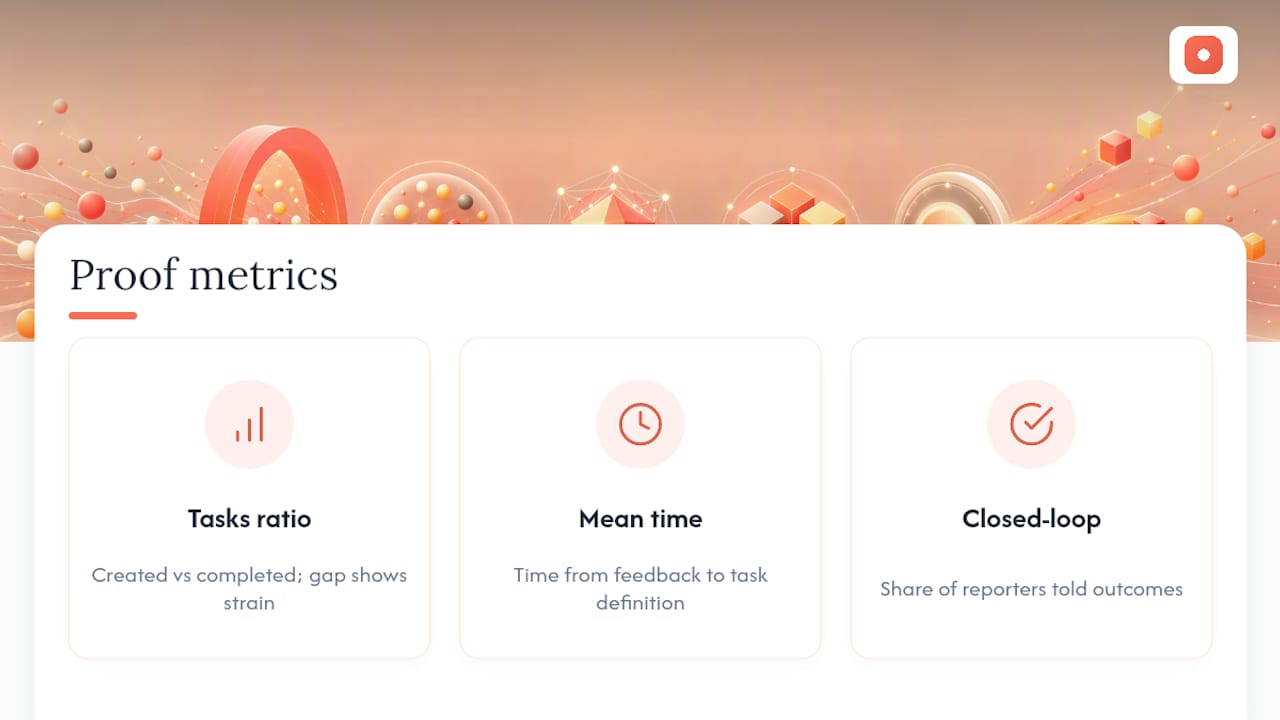
Three numbers tell you almost everything: tasks created versus tasks completed (a growing gap means your intake outpaces your capacity), mean time to action (how long between feedback arriving and a task being defined), and closed-loop confirmation rate (the percentage of feedback sources who get told what happened to their input).
Audit routing and prioritization monthly. If a category is consistently getting misrouted, tighten its confidence threshold or add a keyword rule. If a theme keeps getting deprioritized despite high frequency, your scoring weights probably need adjusting, not the theme itself.
Closing the loop doesn't require much. A short internal note ("Theme: slow checkout load. Task assigned to Engineering, due Friday.") and an external one ("Thanks for flagging this. We've built a fix and it's shipping this week.") cover most cases. Being transparent about which changes are actually being implemented and why builds a kind of trust that a silent backlog never will.
Track operational metrics alongside business outcomes like retention or NPS movement. Acting consistently on customer feedback has been tied to meaningful revenue growth in several industry analyses, which is worth keeping in view when you're justifying the process to stakeholders who only see the backlog, not the pipeline behind it.
How Pinhub Speeds Up the Synthesis and Definition Stages
Pixel-anchored comments remove the guesswork that usually stalls the "define" stage. When feedback is pinned to an exact spot on a screenshot or Figma frame, you skip the back-and-forth of figuring out which button or section someone actually means.
- Pinned comments turn "the layout feels off" into a task tied to a specific coordinate on a specific screen.
- Automated summary lists and version control cut the manual work of re-reading entire comment threads before writing task titles.
- A typical mini-workflow: export a summarized feedback list from a review, then feed it into an automation that drafts tasks in your project tool.
Pro Tip: Resolve comment threads as checklists as you convert them. It keeps your source of truth in sync with your task tracker instead of running two separate systems that quietly drift apart.
Where Most Teams Go Wrong Turning Feedback Into Tasks
Three patterns keep showing up. First, teams treat every comment as equally urgent, which produces backlogs nobody trusts. Second, tasks get created without an owner, so they sit untouched for weeks. Third, nobody closes the loop, so stakeholders stop bothering to give feedback at all.
The fix is cultural more than technical: a short daily or weekly triage habit, a visible tracker everyone can check, and a small ritual of calling out closed loops in a team update. Teams that treat "we told the customer" as a real milestone, not an afterthought, tend to keep feedback flowing instead of watching it dry up.
— Pinhub
How Pinhub Helps You Convert Feedback Into Tasks Faster
If your team's biggest slowdown is figuring out what a piece of feedback actually means before you can write a task, Pinhub attacks that specific problem. Pixel-anchored comments pin discussion directly to the point on a screenshot or Figma design where the issue lives, so the "define" stage in your workflow starts with clarity instead of a guessing game about which element someone meant.

Guest reviewers can leave pinned feedback without creating an account, improving ease of collaboration for teams involving clients or stakeholders. Automated summary lists roll up a whole review thread into a clean digest that can be used to support task-writing, and exports can feed that summary into downstream task automation tools. Version control helps ensure feedback is converted against the correct version of a design or screen.
If you're rebuilding your feedback-to-task pipeline this quarter, start with Pinhub on your next design review and see how much faster synthesis moves when the feedback is already anchored to the exact problem.
Sources
- How to turn customer feedback into actionable insights – Netigate
- Turn Customer Feedback Into Actions Using AI 2026 | LOW/CODE
- Turning Feedback Into Action: A Step-by-Step Framework | Performance Bliss
- Turn Customer Feedback into Tasks with AI in 5 Steps | AI Tool Recipes
FAQ
What Is the Four-Stage Feedback-to-Task Framework?
It's synthesis, prioritization, task definition, and ownership assignment, the four stages that turn raw comments into tracked, owned work.
What Are the Four Types of Feedback You'll Typically Sort?
Most pipelines classify feedback into bug reports, feature requests, UX or design friction, and account or billing issues, each routed to a different destination project.
What Are the Five Steps of Turning Feedback Into Action?
A workable five-step version is: collect, synthesize, prioritize, define, and assign, with a closing sixth step (closing the loop) that many teams treat as mandatory rather than optional.
How Do You Handle Conflicting or Ambiguous Feedback?
Route it to a human reviewer instead of auto-classifying it. Low-confidence or contradictory feedback is exactly what confidence thresholds in your automation pipeline are built to catch.
Does Pinhub Help With Task Definition Specifically?
Yes. Pixel-anchored comments and automated summary lists remove ambiguity about what a piece of feedback refers to, which shortens the time it takes to write a specific, task-ready statement.